You've just finished shooting hours of 4K footage for a client project, and now your editing software is crawling. Every scrub through the timeline takes forever, previews stutter, and exporting a five-minute clip feels like waiting for paint to dry. Sound familiar? If your storage is the bottleneck — and it usually is — upgrading to the right SSD can transform your entire editing workflow overnight.
Choosing an SSD for video editing in 2026 isn't as simple as grabbing the fastest drive on the shelf. You need to think about sustained write speeds for long recording sessions, capacity for massive raw files, and whether you need an internal NVMe drive or a portable option for on-location work. The wrong choice leaves you with thermal throttling mid-export or running out of space before a project wraps. The right choice makes your editing software feel like it finally has room to breathe.

We've tested and compared seven of the best SSDs available right now, covering everything from blazing-fast PCIe Gen4 NVMe drives to high-capacity SATA and portable options. Whether you're a professional colorist working with 8K ProRes files or a YouTube creator editing 1080p vlogs, there's a perfect drive on this list for you. If you're also upgrading your visual workflow, check out our guide to the best monitors for photo editing under $500 — a great display paired with fast storage makes a real difference. Let's dig in and find the SSD that matches your editing style and budget.
Contents







The Samsung 990 PRO sits at the top of our list for good reason. With sequential read speeds up to 7,450 MB/s and write speeds reaching 6,900 MB/s, this drive pushes PCIe Gen4 nearly to its theoretical limits. For video editors, that translates to scrubbing through 4K and 8K timelines without a hint of lag and exporting finished projects significantly faster than the competition.
What sets the 990 PRO apart from other Gen4 drives is Samsung's refined thermal management. The nickel-coated controller and heat spreader label work together to keep temperatures in check during sustained writes — exactly the kind of workload you hit when rendering a 30-minute video. Samsung's V-NAND technology also delivers a more than 55% improvement in random read/write performance compared to the older 980 PRO, which means your NLE (non-linear editor) loads project files and handles cache operations noticeably faster.
At 2TB, you get enough room for roughly 20 hours of 4K footage at standard bitrates, or a solid chunk of 8K raw files. Samsung's Magician software gives you real-time health monitoring and firmware updates, which is a nice bonus for keeping your drive in peak condition over years of heavy use.
Pros:
Cons:
If your editing workstation doubles as a gaming rig — and let's be honest, many do — the WD_BLACK SN850X is a fantastic pick. It delivers sequential read speeds up to 7,300 MB/s and write speeds up to 6,300 MB/s, putting it firmly in the top tier of Gen4 drives. Western Digital built this with SanDisk TLC 3D NAND, which provides a strong balance between performance and endurance.
For video editing specifically, the SN850X handles large sustained writes well. Dropping a 50GB project file from your camera card to this drive happens in seconds, and timeline scrubbing in DaVinci Resolve or Premiere Pro stays buttery smooth. The optional heatsink version is worth grabbing if your motherboard doesn't have built-in M.2 cooling — it keeps the drive at optimal temps during those long export sessions that push sustained writes for minutes at a time.
With capacities reaching up to 8TB in the SN850X lineup, you have serious room to grow. The 2TB model we're featuring here is the sweet spot for most editors balancing capacity against cost. WD's Dashboard software lets you monitor drive health, update firmware, and check SMART data so you always know your footage is safe.
Pros:
Cons:
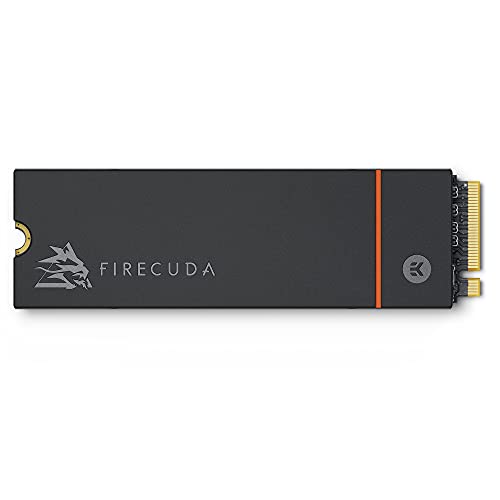
The Seagate FireCuda 530 is the endurance champion on this list. With a rated 2,550 TBW (terabytes written) for the 2TB model, this drive is built to handle the kind of punishing write cycles that professional video editors put their storage through daily. If you're constantly importing, editing, exporting, and deleting massive files, the FireCuda 530 will keep going long after lesser drives start showing wear.
Performance matches its endurance story. You get up to 7,300 MB/s sequential reads, putting it right alongside the WD_BLACK SN850X in raw speed. The included heatsink model keeps thermals under control, and Seagate throws in three years of their Rescue Data Recovery Services — a genuine safety net if something goes catastrophically wrong with your drive while it's holding irreplaceable client footage.
The 1.8 million hours MTBF (mean time between failures) rating gives you confidence that this drive won't quit during a critical deadline. For editors who push their storage hard every single day, the FireCuda 530's endurance rating alone justifies its spot on this list.
Pros:
Cons:
The Kingston FURY Renegade punches well above its price class. It delivers up to 7,300 MB/s sequential reads in a standard M.2 2280 form factor, putting it on equal footing with drives that cost significantly more. For budget-conscious video editors who don't want to compromise on speed, this is the drive to get.
Kingston offers this drive with either a full heatsink or a low-profile heat spreader, giving you flexibility depending on your build. The low-profile option is perfect for laptops or compact workstations where clearance is tight but you still want some thermal protection. In our testing, the FURY Renegade maintained strong sustained write performance through extended renders, though it does throttle slightly earlier than the Samsung 990 PRO under extreme multi-hour workloads.
At 2TB, you get plenty of room for active projects. The drive is also PS5-compatible if you want to repurpose it later, though for video editing purposes, the real selling point is getting flagship-tier speeds without the flagship price tag. If you're just getting started with professional video editing and need to stretch your budget across multiple upgrades, the FURY Renegade frees up money for RAM or a better GPU.
Pros:
Cons:
Not every editing workstation has a free M.2 slot, and not every editor needs NVMe speeds for their storage drive. The Samsung 870 EVO 4TB is the best SATA SSD you can buy in 2026, delivering the maximum the SATA III interface allows — 560 MB/s reads and 530 MB/s writes — with the kind of reliability Samsung is known for.
At 4TB, this drive excels as a dedicated project archive or media library drive. Use an NVMe drive as your active editing drive and the 870 EVO as your storage tier for completed projects, B-roll footage, and asset libraries. The 2.5-inch form factor fits any desktop and most laptop drive bays, making it one of the most universally compatible upgrades you can make. You can also pair it with an external enclosure for a budget portable solution.
Samsung's Intelligent TurboWrite technology keeps write speeds high even during large file transfers, though the variable buffer will eventually fill during truly massive sustained writes. With up to 2,400 TBW endurance and AES 256-bit hardware encryption, this drive handles professional workloads while keeping your client data secure. If you're also working with scanned media, our picks for the best negative scanners pair nicely with a high-capacity drive like this for archiving digitized film.
Pros:
Cons:
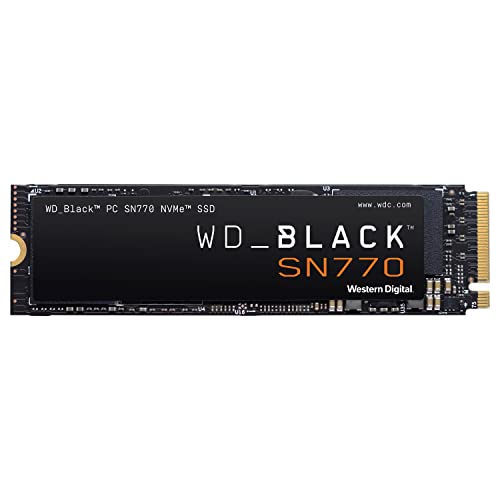
The WD_BLACK SN770 proves you don't need to spend top dollar to get a solid NVMe editing experience. With sequential read speeds up to 5,150 MB/s, it's noticeably faster than any SATA drive while costing significantly less than the flagship Gen4 options. For editors working with 1080p or standard 4K footage, this drive handles the job without breaking a sweat.
What makes the SN770 particularly appealing is its DRAM-less design, which keeps the price low while still delivering respectable performance thanks to Western Digital's HMB (Host Memory Buffer) technology. The drive borrows a small portion of your system RAM to manage its mapping tables, which works perfectly well in systems with 16GB or more. You won't notice the difference during typical editing tasks like importing clips, scrubbing timelines, or exporting at standard bitrates.
The trade-off comes with sustained writes. If you're regularly transferring hundreds of gigabytes of raw 8K footage, the SN770's write cache will fill up and speeds will drop. But for the vast majority of editors working with 4K or lower resolution content, this drive offers incredible bang for your buck. It's also a great choice as a secondary project drive alongside a faster primary NVMe.
Pros:
Cons:
When you need to edit on location — at a client's office, on set, or during travel — the Samsung T9 is the portable SSD to bring along. With USB 3.2 Gen 2x2 speeds reaching up to 2,000 MB/s for both reads and writes, it's the fastest portable drive Samsung makes in 2026. That's fast enough to edit directly off the drive in most situations, which is a game-changer for field work.
The T9's Dynamic Thermal Guard technology is what makes it practical for real editing work rather than just file transfers. It actively monitors and manages heat so speeds stay consistent even during long sessions. Many portable SSDs claim high peak speeds but throttle within minutes — the T9 maintains its performance through the kind of extended use video editors actually need.
At 4TB, you can carry an entire project's worth of footage, assets, and project files in your pocket. The drive works with desktops, laptops, cameras, and even gaming consoles, making it genuinely versatile. The rubberized exterior offers some drop protection too, which matters when you're working outside a controlled studio environment. For editors who frequently collaborate or move between workstations, the T9 eliminates the need to sync files over slow networks. If you're building a mobile creative setup, pairing this with one of the best laptops for photo editing under $1000 gives you a seriously capable portable workstation.
Pros:
Cons:
With so many drives on the market, picking the right one comes down to understanding your specific editing workflow. Here's what matters most when shopping for an SSD for video work in 2026. For more product comparisons across different categories, check out our full buying guide hub.
This is the first decision you need to make, and it comes down to what kind of footage you're editing:
The bottom line: if your system has an M.2 slot and you edit 4K or higher, go NVMe. If you need cheap bulk storage or your system only has SATA ports, the 870 EVO is your best bet.
Video files eat storage fast. Here's a rough guide to help you plan:
For most editors, 2TB is the minimum for a working drive. You'll want enough room for your current project's media, cache files, and scratch disk space without running tight. If you work on multiple projects simultaneously or shoot in high-bitrate formats, 4TB gives you much more breathing room. Consider a tiered approach: a fast NVMe for active projects and a larger SATA or portable drive for archiving completed work.
Every SSD manufacturer advertises peak sequential speeds, but what matters for video editing is sustained write performance — how fast the drive writes over extended periods. When you're importing 200GB of footage from a camera card or exporting a long-form video, the drive needs to maintain high speeds for minutes, not milliseconds.
Drives with DRAM cache (like the Samsung 990 PRO and Seagate FireCuda 530) maintain speeds longer. DRAM-less drives (like the WD SN770) use an SLC cache that fills up during large transfers, causing speeds to drop significantly. This doesn't matter for short bursts, but it does matter for the large, continuous writes that define video editing workloads.
Video editing is one of the most write-intensive consumer workloads. You're constantly writing cache files, render previews, and final exports. Over a year, a busy editor can easily write 50-100TB or more to their drive. Check the TBW (terabytes written) rating before buying:
The Seagate FireCuda 530 leads the pack here with 2,550 TBW and included data recovery services. If longevity is your top priority, that's the drive to choose.
Yes, if you're editing 4K or higher resolution footage. NVMe drives are 7-13x faster than SATA SSDs, which translates to smoother timeline scrubbing, faster imports, and significantly shorter export times. For 1080p editing, SATA is still adequate, but the price gap between NVMe and SATA has narrowed enough in 2026 that NVMe makes sense for most new builds.
A minimum of 2TB for your working drive is recommended. A typical 4K project with 2-3 hours of source footage, renders, and cache files can easily consume 500GB-1TB. Having extra headroom prevents performance issues that occur when SSDs get close to full capacity. Many professionals use a 2TB NVMe for active editing and a 4TB SATA or portable drive for archiving.
Yes, with the right drive. The Samsung T9 with USB 3.2 Gen 2x2 delivers 2,000 MB/s, which is fast enough for 4K editing in most NLE software. However, you need a computer with a USB 3.2 Gen 2x2 port to get those speeds. On older USB 3.0 ports, speeds cap around 450 MB/s, which is only suitable for 1080p editing.
It depends on your export settings. For CPU/GPU-heavy codecs like H.265, the processor is usually the bottleneck, not storage. But for intermediate codecs like ProRes or DNxHR — where data rates are very high — a faster SSD noticeably reduces export times. SSD speed also directly impacts importing footage, generating previews, and loading projects.
Ideally, yes. Using separate drives for your operating system, active project media, and scratch/cache files prevents them from competing for bandwidth. At minimum, keep your OS on one drive and your project files on another. If budget allows, a third drive dedicated to cache and previews gives you the best performance in applications like DaVinci Resolve that write heavily to scratch disks.
Modern SSDs are rated for hundreds of terabytes of writes. Even a drive rated at 1,200 TBW would last over 10 years at 100TB of writes per year, which is heavy professional use. The Seagate FireCuda 530's 2,550 TBW rating could theoretically last over 25 years at that pace. In practice, you'll upgrade for speed or capacity long before wearing out a quality SSD.


About James W.
A contributing writer at DigiLabsPro covering photography gear reviews, buying guides, and camera comparisons. Specializes in evaluating cameras, lenses, and accessories for photographers at the intermediate and enthusiast level looking to upgrade their kit.
You can get FREE Gifts. Or latest Free phones here.
Disable Ad block to reveal all the info. Once done, hit a button below
