Can you really mount a TV on a wall with no studs behind it — and trust it to stay there? Yes, and it's more reliable than most people expect. If your stud finder has been coming up empty, you don't have to settle for a floor stand or an awkward corner cabinet. How to mount tv without studs is a skill that comes down to choosing the right hardware, understanding your wall's actual load limits, and following a clear process. This guide covers everything: anchor types, step-by-step installation, the mistakes that cause failures, real cost numbers, and what to do when something doesn't feel right after the job is done. For more home tech and setup content from our team, browse our photography articles section.
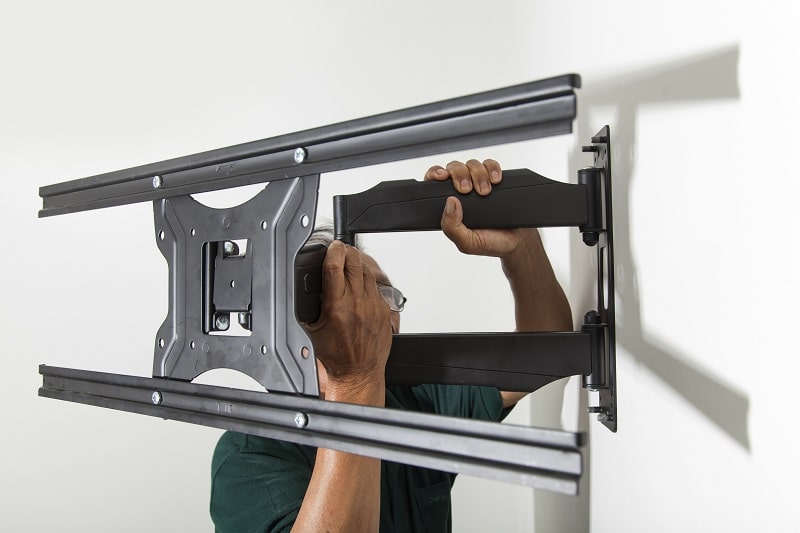
The key variable is your wall material. Most interior walls in North American homes are drywall — typically 1/2 inch or 5/8 inch thick — stretched over wooden or metal studs spaced 16 or 24 inches apart. When you can't reach a stud, you're working with hollow drywall, and standard screws pull straight through. What you need are hollow-wall anchors: devices that expand or toggle behind the drywall to distribute weight across a broader surface area. Get the right ones, and your TV goes nowhere.
Before you pick up a drill, two numbers matter more than anything else: your TV's weight and your mount's VESA pattern. Every wall anchor carries a rated load capacity, and that rating applies per anchor. If your TV weighs 55 lbs and you're using four anchors rated at 20 lbs each, you have an 80 lb combined ceiling — a comfortable margin. Get those numbers wrong, and no anchor will save you. Get them right, and the rest of this process is straightforward.
Contents
Drywall is strong enough to hold a TV — but only when you respect its limits. Standard 1/2-inch drywall can support roughly 20 lbs per anchor point when you use quality hollow-wall anchors installed correctly. The total number of anchor points on your mount determines your maximum safe load. Most TV wall mounts use four bolts. Four toggle bolts rated at 20 lbs each give you an 80 lb combined ceiling — more than sufficient for most TVs up to 75 inches.
Keep in mind that load ratings assume the anchor is going into good-condition drywall. If your walls are old, water-damaged, or unusually thin, those numbers drop. Always inspect the wall surface before you commit to a location. If you spot soft spots, bubbling paint, or visible staining, move your mount position — no anchor fixes compromised drywall. And for more background on how standard partition walls are actually constructed, the Wikipedia article on drywall gives a solid engineering overview.
Not all anchors are equal, and the difference between a good choice and a bad one is the difference between a TV that stays put and one that ends up on the floor. Here's your lineup:
For a standard TV mounting project, toggle bolts or snap toggles are your go-to. Purchase anchors rated for at least 1.5× your TV's weight to build in a proper safety margin. Don't cut this number close.
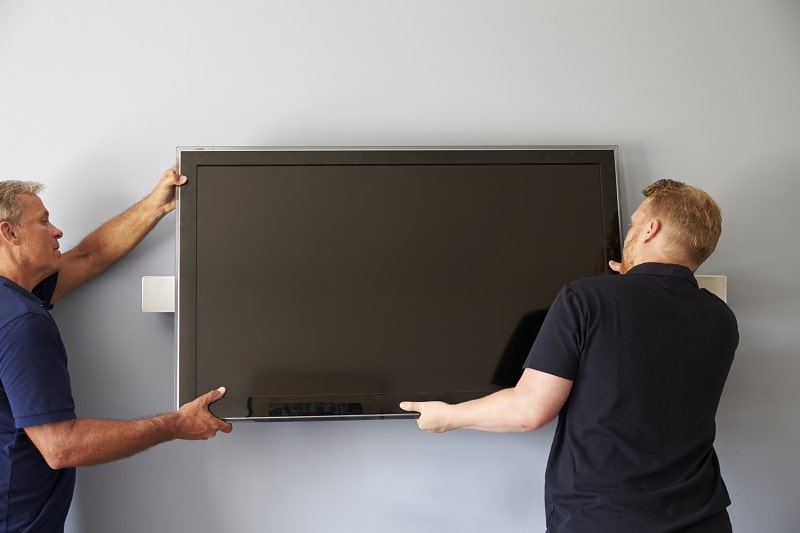
Once the TV is hanging, run a firm push test from multiple angles. There should be no wobble and no visible wall flex. If anything shifts, take the TV down, remove the mount, and re-seat the anchors before proceeding. After mounting is complete and your display is stable, you'll want to sort your signal source — our guide on how to hook up a TV antenna covers that next step in detail.
Pro tip: Always install anchors in dry, undamaged drywall. A single water-damaged section can cut your anchor's rated capacity by half — inspect the wall surface carefully before committing to any location.
Most TV wall mounting failures trace directly to anchor errors. Here are the ones that show up most often:
The mount itself matters as much as the anchors. A flat fixed mount puts stress directly perpendicular to the wall — manageable for hollow drywall. A full-motion articulating mount creates leverage when extended, multiplying the effective load on your anchors significantly. If you choose a full-motion mount, select anchors rated for 2× your TV's weight — not the standard 1.5×.
Also verify that your mount's VESA pattern matches your TV before purchasing. VESA is the bolt hole pattern on the back of the TV, measured in millimeters (common sizes: 200×200, 400×400, 600×400). A mismatched VESA means the mount won't attach to the TV regardless of how well your anchor work was done.
Mounting without studs costs modestly more than a stud-based installation because the anchor hardware is more specialized. Professional installation adds the largest line item if you go that route. Here's what to budget:
| Item | Budget | Mid-Range | Premium |
|---|---|---|---|
| Flat wall mount | $15–$25 | $30–$60 | $70–$120 |
| Full-motion articulating mount | $30–$50 | $60–$100 | $120–$250 |
| Toggle bolt anchors (set of 4–6) | $5–$10 | $10–$20 | $20–$35 |
| Snap toggle anchors (set of 4) | $8–$12 | $15–$25 | $30–$45 |
| Cable raceway kit | $10–$18 | $18–$30 | $30–$60 |
| Professional installation | $75–$100 | $100–$175 | $175–$300 |
DIY saves you the most. A quality flat mount plus a set of snap toggles runs $40–$80 total — well under what a handyman charges just to show up. If you go with professional installation, confirm the installer has specific experience with hollow-wall anchors. Some technicians only know stud-mount techniques and will push back on the project or do it incorrectly.
Once your TV is mounted and your signal is sorted, you may also want to optimize reception. Our article on how to improve VHF antenna reception is a useful next read if you're using an over-the-air antenna setup.
Warning: Avoid bargain mounts from unverified brands priced under $15. Many don't meet their stated VESA or weight ratings — and the consequences of a failed mount are both dangerous and expensive.
If your TV wobbles after installation, treat it as urgent — not cosmetic. Wobble means the anchor is not fully engaged or the drywall is compressing under load. Here's how to diagnose and fix it:
After all structural issues are resolved, address cable management. Exposed cables running down the wall undercut the clean look you worked to achieve. A surface-mounted cable raceway kit costs under $20 and installs with adhesive — no additional drilling required. If you're considering a freestanding alternative instead of wall mounting, our guide on flat panel TV stands covers the best options for every TV size and room configuration.

Learning how to mount tv without studs correctly the first time means you won't be patching holes or replacing hardware in three months. The process is repeatable, the hardware is widely available, and the results — when done right — are just as solid as any stud-mounted installation. Take the weight ratings seriously, use the correct anchors, and don't rush the level check. That's the entire formula.


About Editorial Team
The DigiLabsPro editorial team covers cameras, lenses, photography gear, and creative technology with a focus on helping photographers make informed buying decisions. Our reviews and guides draw on hands-on testing and research across a wide range of equipment, from entry-level beginner kits to professional-grade systems.
You can get FREE Gifts. Or latest Free phones here.
Disable Ad block to reveal all the info. Once done, hit a button below
