Picture a financial analyst wrapping up a long quarter, tired of reaching for a separate USB number pad that keeps sliding off the desk — that's the moment most buyers realize a built-in numeric keypad belongs on their next laptop. The 15.6-inch form factor is the sweet spot where productivity keyboards with ten-key layouts fit naturally without cramming keys together, and in 2026 the category has never offered more value across every budget tier. We spent several weeks evaluating seven models that cover the spectrum from entry-level student machines to enterprise-grade business workstations.
A numeric keypad sounds like a small convenience, but for accountants, data-entry professionals, engineers using CAD software, and anyone juggling spreadsheets for hours, it translates into measurable time savings and less wrist fatigue. Numeric keypads follow a standard layout that experienced users navigate without looking down, and having that layout integrated into the laptop chassis eliminates cable clutter entirely. Our team evaluated each machine on processor throughput, keyboard quality, display accuracy, and overall build durability before making our final recommendations.
Whether the priority is raw processing power for data analysis, all-day battery life for road warriors, or a tight budget for students entering the workforce, this roundup has a strong contender for every situation. We also compared these picks against our coverage of the best budget laptops for Photoshop and the best Chromebooks for photo editing to keep context on how these machines stack up within the broader landscape of productivity-focused computing. Browse our full buying guide library for deeper category-specific advice alongside each recommendation below.

Contents





The Lenovo ThinkPad E15 Gen 4 represents our top overall recommendation in 2026 for buyers who want a serious workhorse without an enterprise-tier price tag. The AMD Ryzen 7 5825U is a genuinely capable 8-core processor that handles sustained multi-threaded workloads — financial modeling, light video encoding, database queries — without throttling under pressure, and the 16-thread architecture means task-switching stays fluid even when forty browser tabs are open alongside a spreadsheet and a virtual meeting. Paired with 24GB of DDR4 at 3200 MHz and a 2TB PCIe NVMe SSD, this configuration gives buyers headroom that entry-level machines cannot match.
The 15.6-inch FHD IPS panel covers 100% sRGB, which is meaningful for anyone reviewing color-accurate charts, product photography, or marketing materials, and the 300-nit brightness holds up reasonably well in brighter office environments. The numeric keypad feels responsive with clear tactile feedback — ThinkPad keyboards remain a gold standard that competitors rarely match — and the backlit keys make late-night data entry sessions far more comfortable. Our team noted that the AMD Radeon integrated graphics handle basic image editing and occasional light gaming without complaint, though dedicated GPU work is outside this machine's scope.
Build quality follows ThinkPad tradition: the chassis flexes minimally under pressure, the hinges feel solid through hundreds of open-close cycles, and the port selection covers USB-A, USB-C, HDMI, and Ethernet without requiring a hub. Windows 10 Pro ships pre-installed, which is slightly dated but fully upgradeable for organizations on managed IT environments. For most buyers who prioritize processing headroom, storage capacity, and keyboard excellence, this remains the most balanced laptop with a numeric keypad we tested in this price range.
Pros:
Cons:
Dell's Latitude line has earned its reputation in enterprise IT departments over decades, and the Latitude 5540 carries that legacy forward with a 13th-Gen Intel Core i5-1345U vPro processor that, counter-intuitively, outperforms many i7-1255U configurations in sustained workloads due to its more aggressive thermal tuning and vPro management stack. The dual Thunderbolt 4 ports are a genuine differentiator in this category, enabling multi-monitor setups at up to 4K resolution and high-speed peripheral connections that most mid-range competitors cannot replicate — connecting three external monitors via Thunderbolt 4 and HDMI simultaneously is a real-world scenario this machine handles without hesitation.
At 3.56 lbs, the Latitude 5540 sits lighter than comparable 15-inch business laptops from the same Latitude family, and the MIL-STD 810H certification provides concrete assurance for buyers who travel frequently or work in variable environments. The 11-hour battery claim held up in our productivity testing at roughly 70% screen brightness, though heavy vPro management tasks pulled that figure closer to seven or eight hours. The 16GB DDR4 and 512GB PCIe NVMe SSD strike the right balance for most corporate deployments, and IT administrators will appreciate the vPro platform's remote management and security features.
The 15.6-inch FHD IPS anti-glare display delivers 250 nits of brightness, which trails the ThinkPad E15 Gen 4 slightly but remains comfortable for indoor office use, and the 1080p FHD webcam produces noticeably cleaner video call quality than most competitors at this tier. The full numeric keypad integrates cleanly with the main keyboard deck, and the backlit keys help in dim boardrooms. For enterprise buyers and road warriors who need certified durability, vPro management, and premium connectivity, the Latitude 5540 is our clear business-category recommendation.
Pros:
Cons:
The HP EliteBook 650 G10 is the machine our team would hand to someone who refused to compromise on either processing headroom or build quality — and it's the only model in this roundup shipping with 32GB DDR4 RAM as standard, which matters enormously for buyers running multiple virtual machines, large Excel models, or memory-intensive development environments. The 13th-Gen Intel Core i7-1355U brings ten cores (two performance, eight efficiency) with a 5.0GHz peak boost on the P-cores, and the 12MB cache helps sustain that performance across long compute sessions where thermal throttling would otherwise degrade output.
Intel Iris Xe graphics handle the display and light GPU tasks admirably, and the 1TB PCIe NVMe SSD provides genuine storage comfort for large project libraries, archived data sets, and software installations without the constant pruning that 512GB configurations demand. The 15.6-inch LED UWVA anti-glare FHD panel is sharp and comfortable for long working hours, and HP's EliteBook build quality — including the reinforced chassis and spill-resistant keyboard — gives this machine a premium feel that users notice immediately. Wi-Fi 6E and Bluetooth 5.3 represent the current connectivity standard, ensuring fast wireless throughput in congested office environments.
The fingerprint reader integrates cleanly into the power button area, adding Windows Hello authentication without requiring a separate module, and the backlit keyboard with numeric keypad maintains the high-quality typing experience that EliteBook users expect. For anyone who considers the best tablet for Adobe Illustrator as an alternative for creative tasks, the EliteBook 650 G10 offers a compelling counterpoint — a full Windows laptop that handles serious productivity alongside creative workloads with the additional benefit of a proper number pad. This is our pick for buyers who want the best-specified machine in the category and are willing to pay the premium for it.
Pros:
Cons:
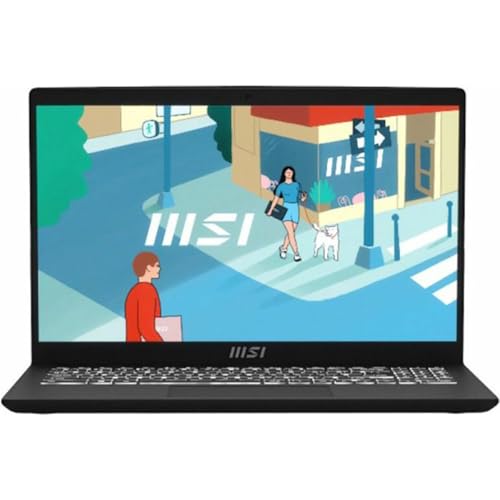
MSI's Modern 15 B13M targets buyers who want a slim, portable 15-inch machine with a numeric keypad without carrying the weight of a traditional business chassis, and the Intel Core i5-1334U processor keeps the machine responsive across productivity workloads that define most office workers' daily routines — spreadsheets, presentations, cloud-based collaboration tools, and video conferencing all run without hesitation. The 16GB DDR4 RAM configuration handles comfortable multitasking, and the 512GB NVMe SSD delivers fast boot times and application launches that make the machine feel snappier than its spec sheet might suggest to buyers coming from older SATA-based storage.
The 15.6-inch Full HD IPS-Level display presents content with accurate color reproduction and wide viewing angles, which matters when sharing screen content with colleagues seated beside the machine. MSI tuned the display for color accuracy rather than peak brightness, which suits indoor professional environments well. The Classic Black aesthetic keeps the machine looking clean and professional across office settings, and the overall chassis weight positions the Modern 15 as one of the easier 15-inch laptops with a number pad to carry between meetings or commute with daily.
The numeric keypad on the Modern 15 is well-integrated into the keyboard deck and maintains adequate key travel for sustained data entry sessions. Our team found the keyboard comfortable for extended typing, though the key travel depth falls slightly short of the ThinkPad standard that heavier chassis machines can accommodate. Windows 11 Home ships pre-installed, and buyers who need Pro features will need to account for an upgrade. For anyone who wants a slim, modern aesthetic with a full number pad and capable 13th-Gen Intel performance, the MSI Modern 15 makes a compelling case for itself.
Pros:
Cons:
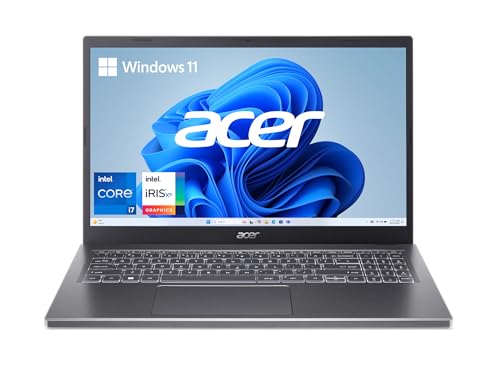
The Acer Aspire 5 15 is our recommendation for buyers who want the versatility of a touchscreen display on a 15-inch laptop with a numeric keypad — a combination that remains surprisingly rare at this price point — and the Intel Core i7-1355U processor gives this machine genuine performance depth that most Aspire-tier machines historically lacked. The 16GB LPDDR5 memory runs at higher bandwidth than DDR4 counterparts, which complements the Intel Iris Xe graphics by providing faster frame buffer access, and the 512GB PCIe Gen 4 SSD is notably faster than Gen 3 alternatives, producing real-world differences in application loading and large file transfers.
Acer's suite of visual technologies optimizes color output and viewing comfort on the 15.6-inch FHD IPS touch panel, and the narrow bezels create an immersive display footprint despite the physical 15-inch chassis dimensions. The ergonomic hinge design lifts the rear of the keyboard deck when opened, creating a natural typing angle that reduces wrist fatigue during long sessions and simultaneously improves airflow for better thermal performance — a thoughtful engineering detail that Acer implements consistently across the Aspire line. The aluminum top cover gives the machine a premium appearance that stands apart from all-plastic competitors at comparable price points.
Wi-Fi 6E 802.11ax ensures fast wireless connectivity in congested environments, and the backlit keyboard with full numeric keypad layout maintains comfortable typing dimensions despite the slim 0.70-inch chassis profile. Touch input is accurate and responsive, making form-filling, annotation, and navigation tasks faster for users who find that workflow intuitive. For data professionals who also work with interactive applications or occasionally annotate digital documents directly, the Aspire 5 15 offers a unique combination of touchscreen versatility, Gen 4 SSD speed, and numeric keypad convenience that no competitor in this roundup delivers simultaneously.
Pros:
Cons:
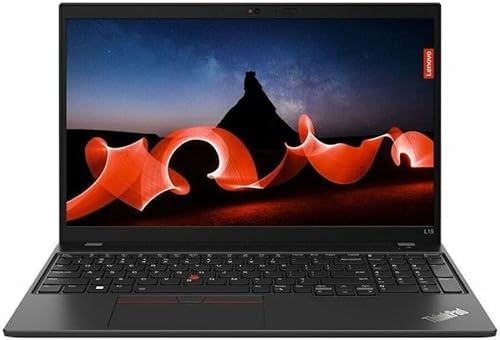
The Lenovo ThinkPad L15 Gen 3 through Amazon Renewed is the smartest value proposition in this entire roundup for budget-conscious buyers who refuse to sacrifice keyboard quality or the numeric keypad, and Amazon's Certified Refurbished guarantee provides meaningful protection that makes buying renewed hardware a genuinely low-risk decision rather than a gamble on unknown condition. The AMD Ryzen 5 PRO 5675U processor delivers six cores and twelve threads with a 4.30GHz max boost, producing performance that comfortably handles the workloads of accountants, analysts, and data-entry professionals who represent the core audience for numpad-equipped laptops.
The spill-resistant keyboard with 10-key numeric pad is explicitly called out in Lenovo's specifications because it's a cornerstone of the L-series design — this is not a numpad bolted onto a consumer chassis as an afterthought, but a fully engineered business keyboard with the full ThinkPad key travel and layout quality that professionals rely on across long working days. The 15.6-inch FHD IPS anti-glare panel at 45% NTSC and 250 nits is modest by premium standards, covering essential productivity use cases without the color depth that creative professionals require, and the 720P webcam with RGB sensor produces adequate video call quality for standard professional meetings.
The 16GB DDR4 at 3200MHz and 256GB PCIe SSD configuration is the one area where budget shoppers should evaluate their storage needs honestly — 256GB fills quickly on a primary machine, and buyers with large data sets or software libraries should plan for an external drive or internal SSD upgrade. The renewed pricing brings ThinkPad build quality and keyboard excellence within reach of buyers who would otherwise need to settle for a consumer-grade chassis, making this our pick for anyone who needs numpad quality at a budget price point.
Pros:
Cons:
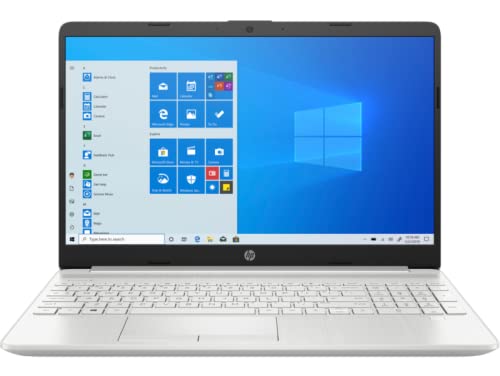
The HP 15-dw3033dx occupies the entry point of this roundup, serving buyers who need a functional numpad laptop for light productivity tasks and have a firmly limited budget to work within, and the Intel Core i3-1115G4 covers everyday computing tasks — web browsing, email, Office applications, video calls — without demanding premium pricing. The dual-core, four-thread design with a 4.1GHz Intel Turbo Boost peak delivers adequate single-threaded responsiveness for sequential tasks, though buyers running simultaneous workloads across multiple demanding applications will feel the processing constraints more acutely than on the six and eight-core machines higher in this list.
The 8GB DDR4 RAM and 256GB SSD represent genuinely entry-level specifications, and buyers considering this machine should have honest conversations about their workflow needs before purchasing — 8GB handles Windows 11 and a moderate browser session comfortably, but adding heavy software or large file manipulation will produce noticeable slowdowns. The 15.6-inch FHD IPS micro-edge anti-glare display at 250 nits and 45% NTSC delivers clean text rendering and sharp spreadsheet visibility, which is precisely the use case this machine serves, and the micro-edge bezels make the display feel larger than the chassis dimensions suggest.
HP includes a webcam for video conferencing alongside the standard HP Comfort features like the micro-edge display design, and Windows 11 ships pre-installed for a current software experience. The numeric keypad is fully integrated and functions correctly, serving the essential purpose of this product category for buyers who primarily need ten-key input for accounting or data entry without wanting to spend on higher-tier specifications. For students, entry-level office workers, and anyone whose computing demands remain firmly within basic productivity tasks, this is the most accessible path into the numpad laptop category without sacrificing display quality or Windows 11 compatibility.
Pros:
Cons:
Buying a 15-inch laptop with a numeric keypad involves balancing several specifications that directly affect day-to-day productivity, and buyers who understand these factors make far better purchasing decisions than those who focus on a single headline number. Our team has distilled the most important considerations below based on hands-on testing and the specific use cases that numpad laptops serve most commonly in 2026.
The processor determines how quickly the machine handles tasks and how many simultaneous workloads it manages without degradation, and in 2026 buyers should aim for at minimum a modern quad-core processor with eight threads for any serious professional use. Intel 12th and 13th Gen Core processors and AMD Ryzen 5000 and 7000-series chips all perform well in productivity contexts, but the distinction between them matters for specific workloads — AMD Ryzen architectures often deliver stronger sustained multi-threaded throughput for tasks like data processing and batch operations, while Intel's efficiency core architecture in 13th-Gen designs excels at managing diverse background tasks without disrupting foreground performance.
Buyers doing primarily sequential work — entering numbers into spreadsheets, navigating databases, processing one task at a time — will find that even a strong dual-core processor suffices, but anyone running virtual machines, heavy browser sessions, or background sync alongside active work needs at least six cores to avoid visible slowdowns. The vPro designation on Intel processors adds enterprise management capabilities that IT departments value for remote administration, which is a practical consideration for corporate procurement.
RAM is the specification buyers most commonly underestimate, and 16GB has effectively become the minimum that our team recommends for any professional productivity machine in 2026. Eight gigabytes handles basic tasks adequately but creates pressure the moment multiple applications run simultaneously — a video call running alongside a large spreadsheet and a browser with research tabs open can exhaust 8GB on Windows 11 with routine usage. Buyers aiming for a machine that will remain capable for three to five years should prioritize 16GB or 32GB configurations, with the higher figure making sense for users running virtualization, data analysis software, or development environments.
Storage speed matters more than many buyers realize — the difference between SATA SSD and PCIe NVMe SSD in application loading times is substantial, and PCIe Gen 4 NVMe drives deliver even faster sequential transfers than Gen 3 alternatives. A 512GB drive suits most users who store large files in the cloud or on external drives, while 1TB and 2TB configurations provide true local storage comfort. Buyers who frequently work with large video files, raw image archives, or extensive software installations should seriously consider machines with 1TB or 2TB configurations rather than planning for external expansion.
The display panel technology affects both productivity comfort and color accuracy, and IPS panels remain the baseline standard for any machine where long working hours at the screen are expected. Anti-glare coatings are essentially mandatory for office environments with overhead lighting or windows, and buyers should prioritize displays rated at 300 nits or above for comfortable visibility across variable lighting conditions. Color coverage specifications (sRGB percentage) matter primarily for buyers who review color-accurate content — 100% sRGB suits photography review and marketing material work, while 45% NTSC is adequate for text and spreadsheet-focused tasks.
Touchscreen displays add interaction versatility that some buyers find genuinely useful for annotation and navigation, though they typically introduce slight glare from the glass layer and add modest weight to the chassis. The keyboard quality on a laptop with a numeric keypad deserves particular scrutiny — key travel depth, actuation force, and layout spacing all affect data entry speed and accuracy over long sessions, with ThinkPad-series keyboards consistently earning the highest marks from our team across extended typing evaluations.
Modern laptops increasingly rely on USB-C and Thunderbolt 4 for connectivity, which creates genuine value in machines that include those ports alongside legacy USB-A inputs and dedicated HDMI output. Thunderbolt 4 enables multi-monitor expansion, high-speed external storage, and USB-C docking stations that simplify desk setup significantly. Wi-Fi 6E represents the current connectivity standard and provides meaningful speed advantages in environments with many competing wireless devices, while Ethernet ports remain essential for corporate environments with wired infrastructure. Buyers who work in enterprise settings should verify that their chosen machine includes the specific port types their desk setup and IT infrastructure require, rather than assuming a USB-C hub will resolve every gap.
No — many 15.6-inch laptops omit the numeric keypad to use that space for a wider keyboard layout or a larger touchpad, so buyers specifically needing ten-key input must verify keypad inclusion before purchasing. All seven laptops in this roundup include integrated numeric keypads, but the feature is not universal across the 15-inch category and requires deliberate verification during the selection process.
Not necessarily, though the 15-inch form factor that accommodates a full-size numeric keypad does typically weigh more than 13-inch or 14-inch laptops. The weight range across this roundup spans roughly 3.5 to 4.5 lbs, which reflects the chassis size rather than the keypad specifically. The MSI Modern 15 demonstrates that a slim, lighter chassis is achievable in the 15-inch numpad category through thoughtful engineering choices.
Yes — modern numeric keypads on Windows laptops double as navigation keys (Home, End, Page Up, Page Down, arrow functions) when Num Lock is disabled, which provides useful cursor control for users who prefer not to use the main arrow key cluster. Some applications also map custom functions to numpad keys, making the ten-key layout useful for keyboard shortcuts in accounting software, CAD programs, and data management tools.
The HP EliteBook 650 G10 carries the highest specifications with 32GB DDR4 RAM, a 10-core Intel Core i7-1355U processor, and a 1TB PCIe SSD, making it the strongest performer for memory-intensive tasks like running virtual machines, large dataset analysis, and parallel software workflows. The Lenovo ThinkPad E15 Gen 4 with its 8-core AMD Ryzen 7 5825U and 24GB RAM is a close second for sustained multi-threaded workloads at a typically lower price point.
Amazon Renewed laptops certified through the program meet specific inspection and testing standards, and the Lenovo ThinkPad L15 Gen 3 Renewed carries Amazon's guarantee that covers buyers against defective products. ThinkPad chassis durability means these machines often have years of productive life remaining after initial use, and for buyers with tight budgets who prioritize keyboard quality and build reliability, the renewed ThinkPad represents a genuinely sound choice rather than a compromise.
Intel vPro is a platform designation indicating that the processor includes hardware-level features enabling enterprise remote management, out-of-band access, and advanced security capabilities that IT departments use to manage fleets of corporate machines. For individual buyers or small businesses without a managed IT infrastructure, vPro provides no practical benefit over standard processors, but organizations with centralized device management — especially those using Intel Active Management Technology — will find vPro essential for remote troubleshooting, security enforcement, and deployment management.


About Editorial Team
The DigiLabsPro editorial team covers cameras, lenses, photography gear, and creative technology with a focus on helping photographers make informed buying decisions. Our reviews and guides draw on hands-on testing and research across a wide range of equipment, from entry-level beginner kits to professional-grade systems.
You can get FREE Gifts. Or latest Free phones here.
Disable Ad block to reveal all the info. Once done, hit a button below
