If you need a reliable black ink cartridge for your Canon Pixma printer without paying OEM prices, the Valuetoner 245XL delivers up to 500 pages at a fraction of the cost — and it's a great starting point for this roundup. Remanufactured ink cartridges have come a long way in 2026, and for most home and small-office users, they represent the smartest way to keep printing without draining your budget every few months.
The cost of printing is one of those hidden expenses that sneaks up on you. Original equipment manufacturer (OEM) cartridges are notoriously expensive, sometimes costing more per milliliter than fine wine. Remanufactured cartridges take used OEM shells, clean them, refill them with fresh ink, and test them before resale. When you buy from a reputable brand, the quality difference from OEM is minimal for everyday documents and even decent for photos. Understanding what separates a good remanufactured cartridge from a bad one is exactly what this guide is designed to help you with — and if you're also in the market for a quality printer, check out our guide to the Best Printer For Business Cards 2026 for compatible hardware recommendations.
We've tested and evaluated seven of the most popular remanufactured cartridge options across Canon, Epson, and HP ecosystems. Whether you print a few pages a week or run a small office churning through reams of paper, there's a pick here for you. For context on how inkjet printing technology works and why cartridge standards matter, the Wikipedia overview of inkjet printing is worth a quick read. Let's get into the recommendations.
Contents






If your household runs on a Canon Pixma printer, the Valuetoner 245XL deserves a spot in your cart. This single black ink cartridge is engineered as a drop-in replacement for the Canon PG-245XL, and it works seamlessly across a wide lineup of Pixma models — from the TR4520 and TR4527 to the MX490, MX492, MG2520, MG2522, MG2525, TS202, TS302, and TS3320, among others. The cartridge arrives ready to install, and most users report that the printer recognizes it immediately without any compatibility errors or firmware complaints.
At up to 500 pages per cartridge at 5% coverage, the yield is solid for a single black ink unit in this price bracket. Valuetoner uses fresh ink rather than a simple refill, which means you're getting consistent ink density from the first page to the last. Text documents come out sharp and well-saturated, and for everyday printing — forms, invoices, school documents — you'd be hard-pressed to tell the difference from an OEM cartridge. The cartridge is vacuum-sealed before shipping to preserve shelf life, which matters if you buy in bulk.
One thing to keep in mind: this is a black-only cartridge, so if your workflow involves color printing, you'll need to source color cartridges separately. Also, while the chip is reported to work well with most Pixma firmware versions, a small number of users have encountered low-ink warnings earlier than expected. That said, for the price differential versus Canon's OEM option, this is one of the better-value remanufactured cartridges you'll find for the Canon ecosystem in 2026.
Pros:
Cons:
E-Z Ink has built a strong reputation in the remanufactured cartridge space, and the 212XL combo pack is one of their standout offerings for Epson users. The four-cartridge pack — one black, one cyan, one magenta, one yellow — covers your full color printing needs for the Epson Expression Home XP-4100, XP-4105, and WorkForce WF-2830 and WF-2850. Each cartridge is high-capacity (XL), which means you're getting more ink per dollar than standard-yield alternatives.
The page yield figures here are competitive: 600 pages per black cartridge and 450 pages per color cartridge at the standard 5% coverage benchmark. For a family that prints school projects, recipes, and the occasional photo, this combo pack gives you meaningful coverage before you need to reorder. E-Z Ink uses a newly upgraded chip on these cartridges, which has noticeably improved compatibility with recent Epson firmware updates — an issue that plagued some earlier third-party cartridges. Installation is straightforward, and the ink colors reproduce faithfully for documents and casual photo prints.
Where the 212XL pack is most compelling is in its value proposition as a complete color solution. Rather than hunting down individual cartridges, you get everything in one order. That said, if you print heavily in one color over others, you may find yourself running through cyan faster than black, which means the included ratios won't always align perfectly with your usage pattern. That's a minor gripe for most users, but worth noting if your printing skews heavily toward one color channel. Pairing these cartridges with a capable photo workflow also means having the right display — our Best Graphics Card For Photo Editing guide is worth a look if you're editing images before printing them.
Pros:
Cons:
HP's 63XL ink is notoriously expensive from the OEM, which makes a reliable remanufactured alternative even more valuable. This two-pack — one 63XL black and one 63XL color — fits a wide range of HP machines including the OfficeJet 4650, 3830, 3833, 5255, and 5258, as well as the Envy 4520 and Deskjet 1112 and 3637. If you've been wincing at HP's ink prices, this combo delivers a practical escape route.
The page yield is strong: 750 pages per black cartridge and 450 pages per color, which puts it right in line with HP's own XL specifications. Each pack includes a user guide to walk you through installation, which is a small but appreciated touch for users who haven't swapped cartridges before. Print quality on text documents is excellent — crisp lines, even saturation, no streaking on fresh installation. Color fidelity holds up well for everyday tasks like printing spreadsheets, presentations, and school work. Where you might notice a slight step-down from OEM is in photo printing, where tonal gradients require very precise ink layering.
Compatibility spans multiple HP product lines, making this a versatile pick if you have more than one HP printer in the house. The cartridges are well-sealed and have a long shelf life, so buying a couple of packs at once is a smart move to lock in savings. Just make sure your specific printer model is on the compatibility list before ordering — the 63XL family has a lot of variants, and not every HP printer that takes 63 ink uses the XL size.
Pros:
Cons:
Smart Ink has carved out a niche by targeting HP's higher-end OfficeJet Pro lineup, and the 910XL combo is their flagship offering for that segment. This combo pack is designed for the OfficeJet Pro 8025e, 8020e, 8024e, 8028e, 8034e, 8035e series, as well as the standard OfficeJet 8010, 8012, 8015, 8022, and the full OfficeJet Pro 8020 through 8035 range. That's an impressively broad compatibility list for a remanufactured product.
What sets Smart Ink apart from some competitors is their explicit claim of full compatibility with HP's e-series printers, HP+, and HP Instant Ink-activated printers — which is significant because HP has historically used firmware updates to block third-party cartridges on these models. Smart Ink appears to have kept pace with these firmware changes better than most, and recent user feedback from 2026 suggests the cartridges have held up against recent updates. The ink itself delivers consistent quality across text, graphics, and mixed-content documents, with stable color reproduction that holds up across multiple print sessions.
For small business owners and home office users running an OfficeJet Pro heavily, this combo can represent substantial savings over HP's own 910XL pricing. You do need to stay alert to HP firmware update news — any manufacturer of third-party ink for HP faces this ongoing challenge, and Smart Ink's track record of updating their chips is better than the category average but not perfect. If you're running a high-volume printing environment, having a spare set on hand is a sensible precaution against timing issues.
Pros:
Cons:
For Epson WorkForce users who print in volume, the E-Z Ink 252XL 10-pack is one of the most cost-efficient options on the market in 2026. This pack includes four black 252XL cartridges, two cyan, two magenta, and two yellow — a configuration that reflects actual usage patterns better than equal-ratio packs, since black ink is typically consumed faster in mixed-use printing environments. Compatible printers include the WorkForce WF-7110, WF-7710, WF-7720, WF-3640, and WF-3620.
The yield numbers here are impressive: 1,100 pages per cartridge for both black and color at standard 5% coverage. Across a 10-pack, that translates to a massive total page capacity at a per-page cost that's genuinely difficult to beat. E-Z Ink uses high-yield T252XL-equivalent ink in each cartridge, and the formula delivers reliable saturation across documents, spreadsheets, and moderate-duty color printing. The 4:2:2:2 black-to-color ratio is particularly thoughtful — many comparable multi-packs offer equal quantities of each color, ignoring the reality that most users burn through black much faster.
Installation is as simple as any standard Epson cartridge replacement, and the chips are coded to communicate ink levels accurately with your printer's display. One note: the WF-3640 and WF-3620 are slightly older models, and some users on recent firmware have noted initial recognition errors that resolve after a printer restart. If you run a small studio or home office where the WorkForce printers are doing real work daily, this 10-pack is an excellent way to stock up and reduce reorder frequency. It also stores well, so buying in bulk isn't a risk if you print regularly.
Pros:
Cons:
HP's Photosmart lineup uses one of the most complex ink configurations in consumer printing: separate black, photo black, cyan, magenta, and yellow cartridges. Valuetoner's 15-pack 564XL set addresses this with three of each color (3 standard black, 3 photo black, 3 cyan, 3 magenta, 3 yellow), giving you a complete supply that aligns well with a photo-printing household's needs. The pack is compatible with a long list of HP Photosmart models including the 5510, 5512, 5514, 5515, 5520, 5522, 5525, 6510, 6515, 6520, 7510, 7515, 7520, and 7525, plus the B8550, B8553, and B8558 series, and OfficeJet 4620 and DeskJet 3520 families.
Yield figures break down as follows: up to 550 pages per standard black cartridge, 750 pages per color cartridge, and 290 pages per photo black cartridge. The photo black cartridge yield is notably lower than standard black — that's actually consistent with OEM behavior, since photo black is consumed more densely during photo printing. For families who print a lot of photos alongside regular documents, having three of each ensures you won't run dry mid-project. Valuetoner includes upgraded chips in this 2026 pack, which have improved recognition rates on recent HP firmware.
The 15-pack format might seem like a lot upfront, but when you factor in the complexity of the 564XL family and the cost of buying each color separately, the math works strongly in your favor. Color output is vibrant and faithful for everyday photo printing — borderline prints and 4x6 snapshots look great. If you're running a professional photo workflow, you'd still want OEM or dedicated photo-specific inks, but for sharing family photos or printing reference images, this is an excellent value. This is especially relevant for photographers who might also be interested in our guide to the Best 50mm Lens For Canon in 2026 for capturing the images they'll be printing.
Pros:
Cons:
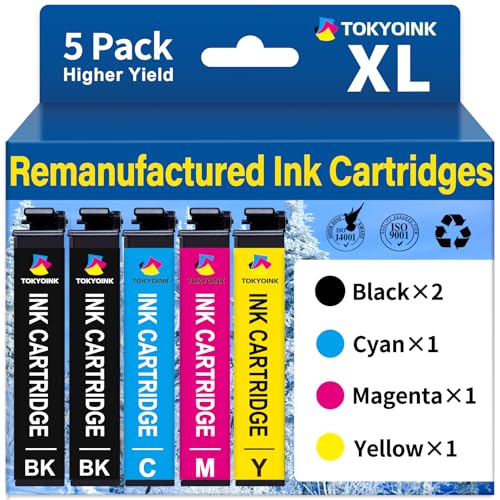
The Epson WorkForce Pro WF-3820, WF-4820, WF-4830, WF-4833, and WF-4834 are serious business printers, and they deserve cartridges that can keep up. This 5-pack 822XL remanufactured set includes two black cartridges, one cyan, one magenta, and one yellow — a sensible configuration for business printing where black text dominates but color is needed regularly for presentations and reports.
Page yield comes in at 1,100 pages per black and 1,100 pages per color cartridge, which is excellent for a business-class printer. At this yield level, your cost per page drops significantly compared to OEM 822XL pricing, without a meaningful reduction in output quality for standard business documents. The cartridges are engineered specifically for the WorkForce Pro line, and the chip coding reflects that — recognition is clean and ink level reporting is accurate through the cartridge's life. You shouldn't encounter the guesswork some cheaper remanufactured products introduce.
For small offices running a WF-4830 or WF-4833 as a departmental printer, the 5-pack offers a smart supply buffer without requiring a large storage footprint. Two black cartridges is the right call for a printer that handles primarily text documents, and the equal quantities of cyan, magenta, and yellow make sense for color work that doesn't skew heavily toward any single hue. The main consideration here is the same as with any premium remanufactured product: you're betting that the manufacturer's chip stays compatible with Epson's firmware. Based on current user reports in 2026, this 822XL option has been performing reliably, but it's worth checking for updates from the seller if you're purchasing six months from now. For anyone building out a complete home or small office setup, our broader buying guide covers additional considerations beyond just ink.
Pros:
Cons:
The single most important step is confirming that the cartridge matches your exact printer model. Most remanufactured cartridges list compatible models in their product description, but the lists can be long and occasionally inaccurate. Your printer model number is typically printed on a label on the front or top of the machine. Cross-reference it against the cartridge listing, and if your model isn't explicitly listed, don't assume compatibility based on similar model numbers. A small compatibility mismatch can mean your printer refuses to recognize the cartridge entirely.
Also pay attention to cartridge naming conventions. XL designates a high-yield version of a standard cartridge — it holds more ink and delivers more pages but physically looks similar and costs a bit more. If your printer accepts both standard and XL versions, the XL will almost always give you a better cost per page.
Page yield tells you how many pages a cartridge should produce at 5% coverage — the industry standard for testing, which approximates a typical text document with modest coverage. Real-world yield will vary based on what you print: photo-heavy pages consume far more ink than plain text pages. When comparing remanufactured options, calculate cost per page by dividing the price by the yield. Even a slightly more expensive pack can deliver a lower cost per page if its yield is meaningfully higher.
For high-volume users, look for packs with multiple cartridges and black-heavy ratios. Most people consume black ink two to three times faster than color, so packs that reflect this (like the E-Z Ink 252XL's 4:2:2:2 configuration) are smarter buys than equal-quantity packs.
Modern printers communicate with cartridges via embedded chips that report ink levels and verify authenticity. Firmware compatibility is the Achilles' heel of remanufactured cartridges, particularly for HP printers, which have historically pushed updates designed to block third-party ink. Look for brands that explicitly mention updated or upgraded chips and that have recent user reviews confirming the cartridges work with current firmware. A glowing review from two years ago is less useful than feedback from the last three months.
Epson and Canon have generally been more predictable with firmware than HP, though all three manufacturers have shown varying degrees of resistance to third-party ink over the years. Staying with established brands like E-Z Ink, Valuetoner, and Smart Ink gives you the best chance of purchasing from a company that monitors firmware changes and updates their chips accordingly.
If you print infrequently, shelf life matters. Most remanufactured cartridges have a shelf life of one to two years when stored properly — away from heat, light, and humidity. Look for vacuum-sealed packaging, which significantly extends storage life by preventing ink from oxidizing before use. Buying in moderate bulk (a 10 or 15-pack) only makes sense if you print regularly enough to cycle through the cartridges before they expire. If you print once a month, a single pair of cartridges is usually a smarter purchase than a bulk pack.
Yes, remanufactured cartridges from reputable brands are safe for your printer. They're built from cleaned and refilled OEM shells and tested before sale. Using one will not void your printer warranty under consumer protection laws in the United States — manufacturers cannot legally require you to use only their own cartridges. The main risk is with low-quality brands that may not seal or clean properly, which could cause leaks. Sticking to well-reviewed brands like E-Z Ink, Valuetoner, or Smart Ink minimizes this risk significantly.
For everyday text documents and standard color printing, the quality difference between a quality remanufactured cartridge and an OEM cartridge is minimal and often undetectable. For professional photo printing — where precise ink layering and tonal accuracy are critical — OEM or specialty photo inks will still produce superior results. If your main use case is printing documents, reports, school assignments, and the occasional casual photo, remanufactured cartridges deliver excellent value without meaningful quality compromise.
XL stands for high yield — these cartridges contain significantly more ink than standard cartridges and are designed to print more pages before running out. An XL cartridge typically costs more upfront than its standard counterpart but delivers a lower cost per page, making it the more economical choice for regular printing. If your printer supports both standard and XL versions of the same cartridge model, the XL is almost always the better long-term value.
The most reliable method is to check recent user reviews — specifically reviews from the last one to three months — on the product listing. If users are reporting that the cartridges work without error messages on their current firmware version, that's a strong positive signal. You can also check the seller's product page for mentions of updated chips or firmware compatibility notes. For HP printers specifically, this is especially important, as HP has a history of using firmware updates to block third-party ink.
Yes, in most cases you can. Printers treat each cartridge slot independently, so running a remanufactured black alongside OEM color cartridges (or vice versa) is technically fine. This is a common approach for users who want to save money on the cartridge they consume fastest (usually black) while keeping OEM color for photo accuracy. Just make sure each cartridge is compatible with your printer model and that the chips are recognized correctly by your printer.
First, remove the cartridge, clean the copper contacts on the cartridge with a dry lint-free cloth, and reinstall it. If the error persists, try powering the printer off completely, waiting 30 seconds, and restarting. Some printers will display a warning about non-OEM cartridges but still allow you to proceed by pressing "OK" or "Continue." If none of these steps work, contact the cartridge seller — reputable brands like E-Z Ink and Valuetoner offer replacements for defective units. As a last resort, check whether a printer firmware update was recently applied and consult the seller for a chip-updated version.
The best remanufactured ink cartridge is the one that fits your printer, matches your print volume, and comes from a brand that keeps its chips current — everything else is just savings waiting to happen.


About Editorial Team
The DigiLabsPro editorial team covers cameras, lenses, photography gear, and creative technology with a focus on helping photographers make informed buying decisions. Our reviews and guides draw on hands-on testing and research across a wide range of equipment, from entry-level beginner kits to professional-grade systems.
You can get FREE Gifts. Or latest Free phones here.
Disable Ad block to reveal all the info. Once done, hit a button below
