Knowing how to choose a video camera comes down to a single foundational question: what are you actually going to shoot? That answer narrows your options faster than any spec comparison chart on the market. Before spending hours reading technical reviews, define your primary use case, your honest budget ceiling, and the environments where you'll most often be working. Those three anchors filter the market more effectively than any single feature comparison. Browse our photography articles section for related buying guides and technique resources that complement this walkthrough.

The video camera market divides into several distinct categories: dedicated camcorders, mirrorless hybrids, DSLRs with video capability, action cameras, and cinema-grade systems. Each category excels in specific workflows and compromises in others. Chasing the highest specification on a sheet rarely leads to a satisfying purchase — matching the camera's design philosophy to your actual shooting method is what matters. The best camera for an event videographer and the best camera for a solo content creator may share very little in common, even at the same price point.
This guide works through five decision areas in sequence: long-term planning, a hands-on step-by-step evaluation process, real-world production contexts, a side-by-side category comparison, and the avoidable mistakes that cost even experienced buyers time and money. Work through them in order the first time, then return to individual sections as your search narrows.
Contents
The most common purchasing mistake is treating a camera body as a one-time, isolated decision. In practice, the body you choose anchors you to a lens mount, a battery format, and an accessory ecosystem. Switching platforms later costs money on both sides of the transaction — selling used gear at a discount and buying into a new system at retail prices. Thinking of your camera as the foundation of a long-term kit, rather than a standalone device, changes which features and trade-offs actually matter at purchase time.
Run-and-gun documentary and event shooters need fast autofocus, practical image stabilization, and a body light enough to carry for extended hours without fatigue. Controlled studio or corporate productions can absorb larger, heavier rigs because the camera spends most of its life on a tripod. Narrative filmmakers tend to prioritize color science, dynamic range, and lens compatibility over convenience features. Before reading a single comparison chart, write down the three types of jobs you expect to shoot most regularly. That list is your actual specification document — start there, not with a camera brand or a YouTube review.
The body price is never the complete cost of ownership. Lenses, extra batteries, memory cards, a reliable audio solution, and a stabilization system all carry significant price tags that accumulate quickly. A mirrorless hybrid with a shallow lens ecosystem will cost more to outfit properly than a mature mount system with hundreds of affordable glass options across every focal length. Our detailed walkthrough of how camera stabilizers work gives you a realistic picture of what that line item should look like in your early budget. Price the complete functional kit before committing to any body.
Once your use case and budget ceiling are clearly defined, the evaluation process becomes methodical. Working through these criteria in order prevents the common trap of fixating on one impressive specification while overlooking equally important factors that shape real-world daily performance.
Sensor size shapes two fundamental output characteristics: low-light capability and depth-of-field control. Full-frame sensors gather the most light but drive lens costs up sharply, often doubling or tripling the total kit price. APS-C and Micro Four Thirds sensors occupy a practical middle ground — genuinely capable in challenging light, with broad affordable glass options, and packaged in body sizes that stay portable across long shooting days. Always review footage samples captured in real low-light environments before making a final call. Manufacturer demo clips are produced to flatter; uncontrolled shooting conditions tell the honest story about sensor performance.
For solo operators or anyone shooting fast-moving subjects without a dedicated focus puller, autofocus quality is non-negotiable. Phase-detection systems track subjects more consistently than contrast-detection during continuous motion. Eye-tracking and subject recognition have matured considerably across recent camera generations — if your work involves shooting people in motion, these features measurably reduce the volume of unusable clips per shoot. In controlled productions with a full crew, this prioritization shifts, but for run-and-gun work it belongs near the top of every evaluation list.
Your camera's internal recording format determines your post-production flexibility. Ten-bit color depth preserves substantially more data for grading than eight-bit — particularly in highlight recovery and shadow detail. Log gamma profiles such as S-Log, C-Log, and V-Log capture a wider dynamic range but require a LUT-based grading workflow to look natural on delivery. If you're publishing straight to YouTube without a dedicated color grading step, 8-bit H.264 at a competitive bitrate handles most delivery requirements with manageable file sizes. Match your recording format choice to your actual delivery pipeline, not to the highest available option on the menu.
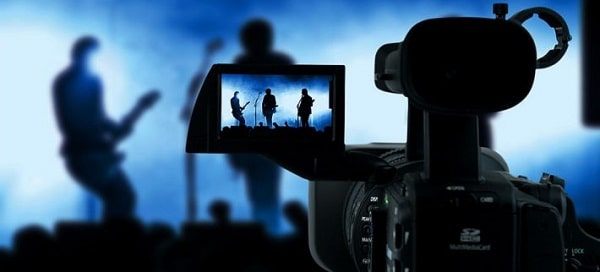
Pro insight: Always shoot a short test reel in your actual working conditions before relying on a new camera for client work — controlled demo footage rarely reveals how a system handles mixed or difficult light in the field.
The question of how to choose a video camera gets answered differently depending on the type of production you're running. Similar budgets lead to completely different purchasing decisions when the use case changes, and recognizing which category describes your work is what prevents buyer's remorse at the six-month mark.
Event shooters operate under constraints that allow very little margin for error: fast-changing light, unpredictable subject movement, and zero opportunity for a second take on the moments that matter most. Reliable autofocus, dual card slots for live backup recording, and strong high-ISO performance are the non-negotiable core requirements. According to Wikipedia's overview of videography, event work is among the most technically demanding forms of run-and-gun production — a characterization that holds up in daily practice. Dual-card recording deserves specific emphasis: losing a ceremony or reception to a media failure has ended careers, and it remains one of the most entirely preventable catastrophes in the profession.
For solo creators recording without a second operator, ergonomic priorities shift toward a fully articulating touchscreen, image stabilization robust enough for handheld work, clean HDMI output for external monitoring, and a compact footprint that doesn't draw attention in public or retail environments. Most creators find that a capable mirrorless body with a standard zoom lens covers the substantial majority of their production needs. Composition and framing principles transfer directly from photography to video — sharpening those fundamentals pays dividends in footage quality regardless of which camera you're using.
Corporate clients expect consistent color, clean dialogue audio, and footage that cuts smoothly in an edit suite without technical friction. A camera that shoots in a Log profile, accepts external audio input, and delivers clean 4K output is the baseline expectation at the professional level. Budget for a wireless lavalier microphone system as part of your initial kit build, not as a future upgrade. Audio quality is the element corporate clients notice most consistently, and it's the one most frequently underestimated by shooters transitioning from a photography background where audio is simply not a factor.
| Use Case | Priority Features | Recommended Camera Type | Key Trade-Off |
|---|---|---|---|
| Event / Wedding | AF reliability, dual card slots, high ISO | Mirrorless hybrid | Higher initial body cost |
| YouTube / Content | Flip screen, IBIS, compact size | Mirrorless or compact camcorder | Limited lens variety on camcorders |
| Corporate / Commercial | Log recording, audio input, color accuracy | Mirrorless or cinema camera | Steeper post-production workflow |
| Documentary / Travel | Portability, battery life, weather sealing | Compact mirrorless | Smaller sensor on entry-level models |
Understanding where each camera platform sits in the broader market helps you commit to a direction without second-guessing every alternative. The major categories each serve a different primary buyer, and knowing which one describes your work ends most of the deliberation before you even walk into a store or open a product page.
Mirrorless cameras deliver interchangeable lenses, large sensors, and increasingly competitive video specifications — but they require substantial additional investment in accessories to match the ergonomic efficiency of a purpose-built video tool. Dedicated camcorders include built-in ND filters, extended optical zoom ranges, and battery systems designed for continuous multi-hour recording without interruption. If your work is primarily event coverage or documentary-style shooting without frequent lens changes, a camcorder often delivers more practical value per dollar than a comparable mirrorless body fully outfitted with accessories. The calculation shifts when lens flexibility becomes a primary creative requirement rather than a convenience feature.
Action cameras occupy a specialized role: not primary production tools, but dedicated B-roll units for situations where a traditional camera would be impractical or physically intrusive. Their waterproofing, ultra-wide perspective, and minimal physical footprint make them genuinely useful additions to most production kits. Pairing a mirrorless main unit with an action camera for POV angles or environmental coverage is a cost-effective way to expand your visual vocabulary without the expense of a second full-size kit. For a technical breakdown of how 4K specifications compare across current production models, our 4K video camera comparison guide puts resolution and bitrate numbers into practical shooting context.
| Camera Type | Sensor Size | Lens System | Best For | Starting Price Range |
|---|---|---|---|---|
| Mirrorless Hybrid | APS-C / Full-frame | Interchangeable | Versatile production | $800+ |
| Dedicated Camcorder | 1/2.3" – 1" | Fixed zoom | Events, documentary | $400+ |
| DSLR with Video | APS-C / Full-frame | Interchangeable | Budget hybrid work | $500+ |
| Action Camera | Small (1/2.3") | Fixed ultrawide | POV, B-roll, sport | $200+ |
| Cinema Camera | Super 35 / Full-frame | PL / EF / LPL mount | Commercial, narrative film | $2,500+ |
Even experienced photographers make predictable errors when making their first serious video camera purchase. These patterns appear consistently enough that recognizing them in advance is sufficient to sidestep most of them before they cost you money.
4K is a baseline expectation across virtually every current camera category — not a premium differentiator. Prioritizing 6K or 8K for content delivered to YouTube, social platforms, or standard broadcast creates larger files, slower editing workflows, and higher storage costs without visible benefit to your audience. What actually determines day-to-day image quality is color science, dynamic range, and the quality of the glass in front of the sensor — none of which are captured in a resolution headline. Ergonomics carry equal weight: a camera you reach for on every shoot outperforms a camera that stays in the bag because it's too heavy or operationally complex to justify pulling out.
Cameras without a microphone input lock you into on-board audio, which is rarely acceptable outside of casual personal use. A 3.5mm stereo input is the working minimum for professional contexts. If your production involves interviews, scripted dialogue, or any controlled sound environment, look for either a built-in XLR input or confirmed compatibility with a dedicated XLR adapter. Audio is half the video experience, and it's the half audiences register first when something goes wrong. A well-exposed, cleanly graded shot with indistinct or echo-heavy dialogue fails immediately in any professional viewing context.
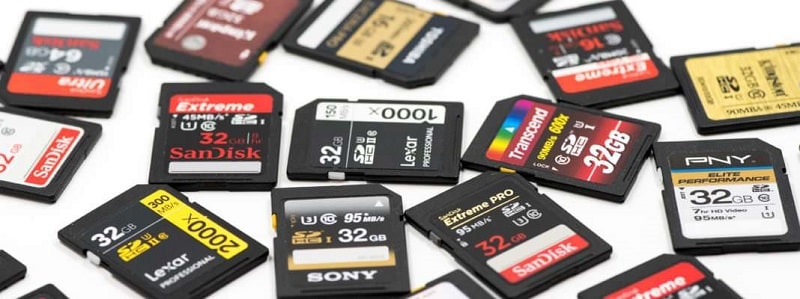
Different camera platforms require proprietary media formats, battery designs, and accessories. A body that demands CFexpress Type B cards costs meaningfully more to outfit than one running standard UHS-II SD cards at a fraction of the per-card price. Before committing to a system, map out the complete first-year cost: body, a primary lens, two batteries, sufficient recording media, and a basic audio solution. That total is your real purchase price — and it's the number you should be comparing across competing platforms, not the body MSRP in isolation. First-year accessories are rarely a minor line item, and discovering that reality after purchase is a frustration that's entirely avoidable.
Understanding how to choose a video camera is less about finding the most technically capable option and more about matching the right tool to your specific workflow, production context, and realistic budget. Define your use case clearly, price out the full kit before you commit to any body, and prioritize the features you'll use on every shoot over impressive specifications that won't affect your actual output. Handle a few candidate bodies in person if at all possible, shoot a test reel in your real working conditions, and make the decision from a position of informed confidence rather than spec-sheet anxiety.


About Editorial Team
The DigiLabsPro editorial team covers cameras, lenses, photography gear, and creative technology with a focus on helping photographers make informed buying decisions. Our reviews and guides draw on hands-on testing and research across a wide range of equipment, from entry-level beginner kits to professional-grade systems.
You can get FREE Gifts. Or latest Free phones here.
Disable Ad block to reveal all the info. Once done, hit a button below
