Ever looked at your wall-mounted TV and wished those dangling cables would just disappear? You can absolutely learn how to hide TV wires without ever picking up a drywall saw. Most no-cut methods are fast, affordable, and completely reversible — making them ideal for renters and homeowners alike. Whether you're tidying up your living room or building a cleaner workstation for your creative work, check out more setup ideas in our photography articles section.
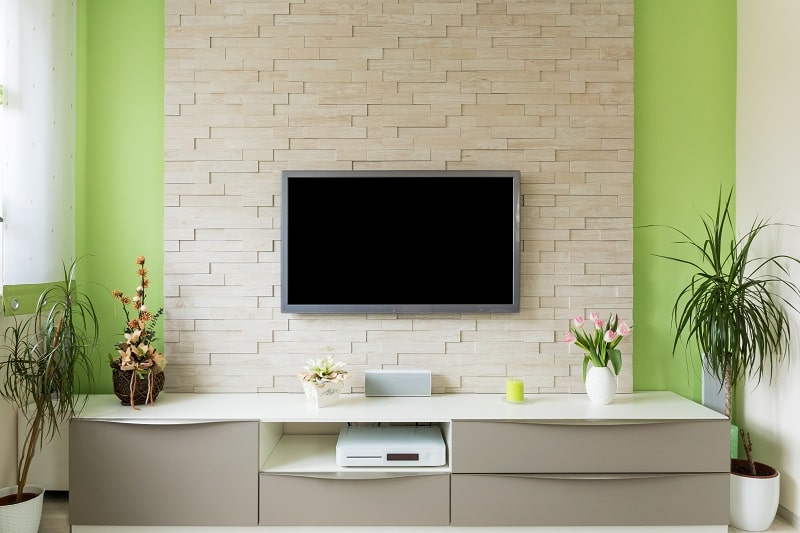
Visible cables are one of those small annoyances that really adds up. They collect dust, create a tangled mess, and can be a tripping hazard for kids or pets. The fix doesn't need to be complicated. This guide walks you through everything — from five-minute wins to more polished permanent setups — with no wall cutting required.
Before you buy anything, take a moment to measure your situation. How many cables are you dealing with? How far is your TV from the nearest outlet? If you're unsure about your screen dimensions or mounting position, the guide on how to measure a TV screen is a smart first stop before you plan your cable route.
Contents
Loose cables aren't just an eyesore — they're a real hazard. Power cords left on the floor are easy to trip over. Cables bundled too tightly can trap heat and degrade faster. According to Wikipedia's overview of cable management, organized cabling improves both safety and long-term reliability in any environment, from data centers to living rooms.
Cables that run freely also collect dust at a faster rate. That buildup finds its way into ports, cooling vents, and connector pins. Over time, it causes connection issues and shortens the lifespan of your gear. Taking an hour to manage your cables now can save you real headaches later.
A tidy setup signals intention. Whether you're photographing your home, hosting guests, or simply trying to enjoy a calm space, visible wires undermine the effect. Your environment reflects your standards — and cleaning up the cables is one of the fastest, cheapest upgrades you can make to any room.
Cord covers (also called cable raceways) are plastic channels that stick to your wall with adhesive strips. You lay your cables inside, snap the cover closed, and the result looks like a thin trim piece. They come in white, black, and paintable versions to match almost any wall.

For cables that run along the back of furniture or down the rear of a media console, velcro cable ties are an instant win. They're reusable, adjustable, and cost almost nothing. Pair them with adhesive cable clips to guide individual wires along shelving or desk edges without any drilling. This is especially useful if your cables need to travel a short horizontal distance before dropping down out of sight.
If you have a media console below your wall-mounted TV, you already have a built-in cable management solution. Route all cables down the back of the TV and feed them into or behind the console. Many modern TV stands include pass-through holes specifically for this purpose. If your TV doubles as a display for photo or video work, a purpose-built video editing desk is designed with exactly this kind of cable routing in mind.
No experience? No problem. These options require zero tools and can be done in under an hour:
Pro tip: Always use a stud finder and a non-contact voltage tester before routing anything near your wall — even surface-mounted solutions can sit close to hidden wiring or pipes.
If you want a more finished, permanent result, these options take a bit more effort but deliver a noticeably cleaner look:
The recessed wall plate kit sits in the sweet spot between beginner and professional. It costs around $30–$50, takes less than two hours to install, and the result looks like something a contractor put in.
Don't buy anything until you've mapped your cable path. Measure from the TV to the outlet and to any devices below, then add 20% for slack. Decide whether cables will drop straight down the wall, run along the baseboard, or pass through furniture. A few minutes of planning avoids a frustrating mid-project trip back to the hardware store. Sketch it out before you stick anything to the wall.
Running a power cord alongside an HDMI or audio cable can cause electromagnetic interference (EMI) — a type of signal disruption that degrades your picture or sound quality. Keep them in separate channels, or at least a few inches apart. On shorter cable runs this rarely causes issues, but on longer runs it becomes much more noticeable.
Once cables are tucked inside a channel or behind a wall plate, tracing them becomes significantly harder. Label every cable before you route it — masking tape and a marker is perfectly fine. This kind of systematic organization is the same habit that makes any dedicated workspace, whether a writer's desk or a photo editing station, so much easier to maintain long-term.
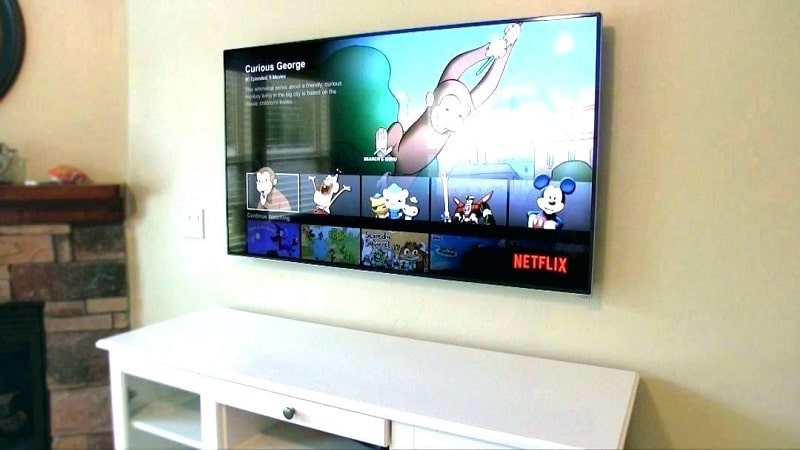
This is the most persistent misconception in cable management. You do not need to open your walls to get a clean, finished result. Cord covers, recessed plate kits, and furniture routing all deliver polished outcomes without touching your drywall. The no-cut methods covered in this guide appear in professionally staged homes and broadcast studios alike — the look is that good.
Most people assume a clean cable setup costs a lot. It really doesn't. A full cord cover kit runs $15–$30. Velcro ties and adhesive clips are just a few dollars. Even a recessed wall plate kit — the most involved no-cut option — typically costs under $50. The bigger investment here is your time, not your wallet.
Streaming sticks, smart TVs, and wireless HDMI adapters reduce the cable count — but they don't eliminate it. Your TV still needs power. A soundbar still needs a connection of some kind. Wireless is a useful partial solution, not a complete one. Don't expect it to give you a truly wire-free setup.
Every setup is different, so there's no single right answer. The table below lays out the most popular no-cut methods so you can match the right solution to your specific situation — whether you're a renter who needs zero wall damage or a homeowner ready for a more permanent install.
| Method | Typical Cost | Difficulty | Reversible? | Best For |
|---|---|---|---|---|
| Cord covers / raceways | $10–$30 | Very Easy | Yes | Renters, quick fixes |
| Cable sleeves | $8–$20 | Very Easy | Yes | Bundling multiple cables |
| Adhesive cable clips | $5–$15 | Very Easy | Yes | Individual cable routing |
| Recessed wall plate kit | $25–$50 | Moderate | Partial | Permanent, polished installs |
| Surface conduit | $15–$40 | Easy–Moderate | Yes | Structured, architectural look |
| Furniture routing | $0–$15 | Easy | Yes | Setups with media consoles |
Adhesive-backed cord covers often don't grip well on rough or porous surfaces like brick. If your TV is mounted on a masonry wall, surface-mounted conduit fixed with masonry screws is your most reliable approach. It looks intentional, holds firmly on hard surfaces, and is still fully reversible if you fill the screw holes before you move out.
You can get a noticeably cleaner result for under $20. A basic cord cover kit from any hardware or home improvement store handles most standard TV-to-floor cable runs without any trouble. If your TV sits close to a baseboard outlet, a $10 raceway kit may be all you need. Grab a small can of spray paint to match your wall color and the entire project stays well under $20. That's hard to beat for the visual improvement you get.
For a more finished result, budget $40–$80. This covers a recessed wall plate kit, a set of cable ties, and possibly a short extension cord to position devices cleanly. At this price, your setup looks deliberate — the kind of tidy home entertainment arrangement you'll find highlighted in guides like our under-cabinet radio buying guide, where workspace organization is part of the whole picture.
If you want a true in-wall outlet — not just a conduit kit — you'll need a licensed electrician. Adding a new outlet inside the wall requires running new wire and typically costs $100–$300 depending on your location and wall type. For most people, the recessed plate kit delivers nearly the same result at a fraction of the cost. If you're building a dedicated editing station where a Chromebook for photo editing sits connected to a large display, clean cable management from day one is the move.
Yes. Cord covers, cable raceways, and adhesive cable clips all attach using removable adhesive strips that leave little to no damage when you take them off. They're the go-to option for renters or anyone who doesn't want permanent changes. Even surface conduit — which uses small screws — leaves only minor holes that are simple to patch and paint over.
Recessed wall plate kits are designed specifically for DIY use. They extend your existing outlet through the wall cavity using a low-voltage cable — no new wiring required. These kits are generally NEC (National Electrical Code) compliant and don't require a licensed electrician. That said, always check your local building codes before you install, and never run a standard AC extension cord inside a wall cavity — that's a fire hazard.
Adhesive cord covers rarely grip well on rough or porous surfaces like brick or concrete. Your most reliable option is surface-mounted conduit attached with masonry screws. It looks clean and purposeful, holds securely on hard surfaces, and is still reversible when you're ready to remove it. Paint it to match the wall for a more subtle finish.


About Editorial Team
The DigiLabsPro editorial team covers cameras, lenses, photography gear, and creative technology with a focus on helping photographers make informed buying decisions. Our reviews and guides draw on hands-on testing and research across a wide range of equipment, from entry-level beginner kits to professional-grade systems.
You can get FREE Gifts. Or latest Free phones here.
Disable Ad block to reveal all the info. Once done, hit a button below
