The Acer Aspire 5 15 Slim is the top pick for budget Photoshop users in 2026 — its Intel Core i7-1355U paired with 16GB LPDDR5 RAM handles layer-heavy PSD files without the stuttering that plagues cheaper builds. Finding a laptop that runs Adobe Photoshop smoothly without breaking a $700–$900 budget used to mean sacrificing either display quality or processing power. That tradeoff is no longer necessary.
Photoshop is one of the most demanding consumer applications a laptop has to run. It taxes the CPU during filter renders and healing brush strokes, leans on RAM when working with large multi-layer files, and demands a decent display so color grading isn't guesswork. The good news is that in 2026, the mid-range laptop market has caught up. 16GB of RAM and fast NVMe SSD storage are now achievable at price points that were impossible just two years ago. Buyers no longer have to choose between portability and raw performance.
This guide breaks down seven of the best budget laptops for Photoshop available right now. Each pick was evaluated for CPU benchmark scores, RAM configuration, display color accuracy specs, storage speed, and real-world creative workload capability. Buyers who also work in Illustrator or Premiere should check out the best tablets for Adobe Illustrator to round out their creative setup. For more context on general creative computing choices, the buying guide section covers all the specs that matter most before spending money.
Contents
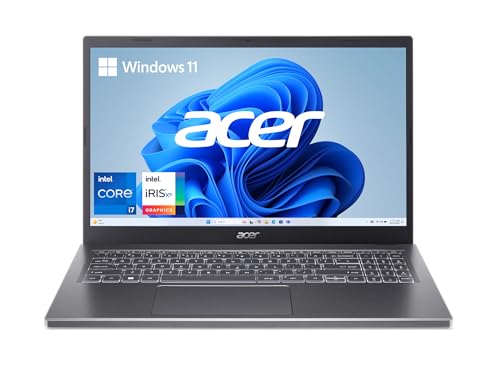






The Acer Aspire 5 15 Slim sits at the top of this list for a clear reason: it combines an Intel Core i7-1355U processor with 16GB of LPDDR5 RAM and a PCIe Gen 4 SSD — a spec sheet that was reserved for $1,200+ machines just a couple of years ago. In Photoshop, that combination means content-aware fill operations, neural filter renders, and batch export jobs all complete without the frustrating spinning cursor that defines cheaper alternatives. The 15.6-inch FHD IPS touchscreen adds practical flexibility for stylus-based retouching workflows.
The display is genuinely impressive for the price point. Acer's visual optimization suite helps with color rendering consistency, and the narrow bezels make the 15.6-inch panel feel expansive on a desk. The IPS panel delivers better color accuracy than the TN displays still found on some budget competitors, which matters when editing product photography or portrait work where skin tone accuracy is non-negotiable. The touchscreen layer does introduce a very slight glare penalty, but nothing severe enough to be a dealbreaker indoors.
Build quality punches above the price. The aluminum top cover feels solid and premium, and the ergonomic hinge design that slightly tilts the keyboard makes long editing sessions noticeably more comfortable. Wi-Fi 6E support future-proofs connectivity for buyers who have a compatible router. The 512GB Gen 4 SSD keeps Photoshop scratch disk operations fast, which directly impacts how smoothly large canvases respond during brush work. This is the machine most budget-constrained Photoshop users should buy in 2026.
Pros:
Cons:
The ASUS Vivobook 2025 takes a different approach to the budget Photoshop problem. Rather than chasing the highest single-core CPU score, ASUS built a 14-inch ultra-portable package around a 6-core Intel Core i3-1315U that boosts to 4.5GHz, backed by 16GB DDR4 RAM and a generous 512GB NVMe SSD. Throw in the 500GB external drive that comes bundled and buyers get substantial storage headroom for raw photo libraries. The compact NanoEdge three-sided slim-bezel display makes this feel like a premium machine despite its accessible price.
For Photoshop specifically, the 16GB of RAM is the star of this configuration. Photoshop's performance is more RAM-bound than most users realize, and having 16GB means layer counts and history states can be pushed much further before the application starts reaching for virtual memory. The i3-1315U's 6-core architecture handles Photoshop's multi-threaded operations well for everyday retouching, catalog work, and web-ready asset exports. Buyers doing heavy Neural Filter work or processing hundreds of RAW files in Camera Raw may want to step up to a Core i5 or i7 option, but for most creative workflows this processor is more than capable.
ASUS packages this machine with Windows 11 Pro and Lifetime Office 2024, which adds genuine value for creative freelancers who need a full productivity suite alongside their Adobe apps. The privacy webcam shield is a small but thoughtful detail. At 14 inches, this travels well — photographers who move between locations or work from coffee shops will appreciate the reduced footprint compared to the 15.6-inch options on this list. Buyers who also need a dedicated workspace setup will find the compact form factor easy to integrate into a multi-monitor arrangement.
Pros:
Cons:
The Dell Inspiron 15 3520 represents the absolute floor of what most Photoshop users should consider. Its Intel Core i5-1135G7 processor boosts to 4.2GHz across 4 cores and 8 threads, which handles Photoshop's basic retouching, adjustment layers, and smart object operations without issue. The 120Hz WVA display is an unusual feature at this price — most budget panels run at 60Hz, so the smoother panel refresh makes canvas navigation and brush strokes feel noticeably more fluid even at this budget tier.
The base configuration ships with 8GB of RAM and a 256GB SSD, which is limiting. However, Dell's hardware supports upgrades to 32GB DDR4-3200MHz RAM and up to 2TB SSD storage, making this one of the most upgradeable options on this list. Buyers who are comfortable adding RAM after purchase can turn this into a genuinely capable Photoshop machine at a very competitive total cost. The 15.6-inch anti-glare FHD display at 250 nits is adequate for indoor use, and the narrow border design keeps the footprint reasonable.
Dell's build quality and support reputation are meaningful factors for buyers who need reliability over the long term. The Inspiron line has a proven track record across educational institutions and home offices, and replacement parts availability is strong. This is the pick for buyers with the tightest budget who plan to upgrade RAM themselves within the first few months of ownership. Out of the box on the base config, multi-layer PSD files above 500MB will start to feel sluggish — upgrading to 16GB RAM is highly recommended before tackling serious Photoshop projects.
Pros:
Cons:
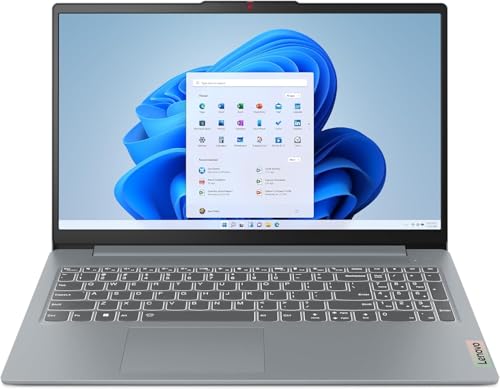
AMD's Ryzen 7 5825U is the processor inside the Lenovo IdeaPad Slim 3 15ABR8, and it is one of the better silicon choices for sustained Photoshop workloads at this price point. The 8-core, 16-thread configuration boosts to 4.5GHz and carries 16MB of L3 cache, which means CPU-intensive tasks like applying blur gallery effects to high-resolution files, running batch actions, and exporting layered files to TIFF complete faster than comparable Intel Core i5 machines. The 16GB DDR4 RAM and 512GB NVMe SSD round out a configuration that handles daily Photoshop workflows without compromise.
The 15.6-inch FHD IPS touchscreen runs at 300 nits — brighter than the Dell on this list — which makes a practical difference for users who work near windows or in mixed lighting conditions. The 45% NTSC color gamut coverage is on the lower end for color-critical work, so buyers doing print-targeted retouching or professional color grading should calibrate the display with a hardware colorimeter before trusting it for final output. For web-targeted work and general creative projects, the display is perfectly serviceable.
Lenovo ships this with a 720p HD camera equipped with a privacy shutter, which is a useful security feature for anyone doing client video calls between edit sessions. The AMD Radeon integrated graphics benefit from AMD's architecture efficiency, contributing to a thermal envelope that stays cooler under sustained load than some Intel configurations. The IdeaPad Slim 3 is a strong all-rounder for buyers who want AMD's multi-core efficiency paired with the touchscreen versatility of the Ryzen 7 platform at a budget-friendly price in 2026.
Pros:
Cons:
The Acer Nitro 5 earns its place on this list for one specific reason: it is the only option here packing a dedicated NVIDIA GeForce RTX 3050 Ti GPU with 4GB GDDR6 VRAM. That matters for Photoshop users who rely heavily on GPU-accelerated features — the neural filters, Camera Raw previews, 3D rendering, and scrubby zoom all leverage the GPU when one is available, and the RTX 3050 Ti provides a meaningful leap over integrated graphics solutions. The 12th Gen Intel Core i5-12500H is also one of the most powerful mobile processors on this list, with a hybrid architecture that handles both burst and sustained workloads efficiently.
The 15.6-inch FHD IPS display runs at 144Hz, which is primarily a gaming spec, but it pays dividends in creative work too. Canvas panning, brush strokes, and layer manipulation all feel more immediate and precise at 144Hz than at 60Hz. Paired with 16GB DDR4 RAM and a 512GB Gen 4 SSD, this machine handles every Photoshop task thrown at it. The Killer Wi-Fi 6 networking is fast and reliable for transferring large image files over a local network. Buyers who also do GPU-intensive photo editing work outside of Photoshop will get significantly more value from the dedicated RTX GPU.
The tradeoff is form factor. The Nitro 5 is a gaming laptop — it is heavier and thicker than the Aspire 5 or Vivobook. Battery life also suffers compared to ultra-thin alternatives because the dedicated GPU has meaningful power draw even at idle. For buyers who work primarily at a desk and can stay near a power outlet, these are non-issues. For mobile-first users, the battery limitation is a real consideration. That said, for raw Photoshop performance per dollar, the Nitro 5 is the most capable machine on this list.
Pros:
Cons:
The Lenovo IdeaPad 5 Flex 2-in-1 introduces Intel's Core Ultra 5 225U to this list — a 12-core processor with a 2P+8E+2LPE architecture that boosts to 4.8GHz and benefits from Intel's latest efficiency improvements. The 2-in-1 form factor adds a practical dimension for Photoshop users: rotating into tablet mode creates a natural drawing surface when paired with an active stylus, making masking, retouching, and selection work more intuitive than using a trackpad. The 14-inch IPS touchscreen is well-suited to this hybrid workflow.
The 512GB PCIe 4.0 NVMe SSD is fast, and Dolby Audio adds a quality speaker experience for creative professionals who review video work alongside their Photoshop sessions. Windows 11 Pro support is another differentiator over some lower-priced competition. The one notable constraint is the 8GB of soldered LPDDR5x-8000 RAM. Soldered RAM cannot be upgraded after purchase, so buyers who regularly work with large PSD files above 200MB, multiple open documents, or Photoshop alongside a browser and other apps should factor this limitation carefully. For lighter Photoshop workloads — portrait retouching, social media graphics, and web asset creation — 8GB is sufficient.
The Core Ultra 5 225U's neural processing unit also adds AI acceleration for Photoshop's newer AI-powered tools, giving this machine a slight edge in next-generation Adobe feature performance that the older Intel and AMD configurations on this list lack. Buyers interested in art-focused laptop options should also check out the roundup of best laptops for art students for additional context on display quality and stylus compatibility at various price points.
Pros:
Cons:
The Acer Aspire 5 A514 is the compact specialist on this list. At 14 inches with a 78.26% screen-to-body ratio and narrow bezels, the chassis is smaller than most competitors while still delivering a genuinely useful workspace. The 12th Gen Intel Core i5-1235U processor handles Photoshop's core operations well across its 10 cores, and Thunderbolt 4 connectivity is the standout hardware feature — it enables 40Gbps data transfers to external NVMe drives, dual 4K monitor output, and connection to professional eGPU enclosures for buyers who want GPU expansion without buying a gaming laptop.
The dual-fan cooling system with dual copper thermal pipes keeps the Core i5-1235U running at sustained boost clocks during extended Photoshop sessions, which is a real engineering advantage over some budget competitors that throttle aggressively after a few minutes of sustained load. The 512GB NVMe Gen 4 SSD is fast enough that Photoshop's scratch disk operations feel instantaneous for typical project sizes. Wi-Fi 6E support completes a connectivity package that is more comprehensive than most competitors at this price tier.
The 8GB DDR4 base RAM is the limiting factor, but unlike the Lenovo Flex, this configuration allows RAM upgrades. Buyers who start with 8GB and find Photoshop slowing down can add a second SODIMM stick to reach 16GB or 24GB without replacing the entire machine. The 14-inch FHD IPS display shows accurate colors with good viewing angles — suitable for retouching work that targets web output. This is the best choice for buyers who prioritize a smaller, lighter daily carry and want Thunderbolt 4 expandability built in from day one.
Pros:
Cons:
Photoshop is extraordinarily RAM-hungry. Adobe recommends a minimum of 8GB but specifies that 16GB or more is needed for comfortable multi-layer work. In practice, working with RAW files from modern cameras (24–50MP), running neural filters, and keeping a browser open alongside Photoshop can consume 10–13GB of RAM on its own. 16GB is the sweet spot for 2026 budget buyers — it provides enough headroom for real projects without the premium cost of 32GB configurations. Any machine on this list with 8GB should be budgeted to include a RAM upgrade cost.
Also pay attention to RAM type and soldering. DDR4 at 3200MHz is adequate. LPDDR5 is faster. Soldered RAM cannot be upgraded after purchase — this is a permanent ceiling on the machine's future capability. For a $700–$900 laptop expected to serve 3–5 years, upgradeable RAM slots are a meaningful advantage.
Both Intel and AMD deliver capable mobile processors for Photoshop in 2026. Intel's 12th and 13th Gen hybrid architectures — the Core i5-12500H, i5-1235U, and i7-1355U — are strong performers with good burst speeds for filter operations. AMD's Ryzen 7 5825U offers more physical cores, which benefits sustained workloads like batch processing large RAW libraries. For most Photoshop users who work on single images or small batches, the core count difference is less important than clock speed and cache size.
Intel's Core Ultra series introduces neural processing units (NPUs) that accelerate Adobe's newest AI-powered features. As Adobe continues expanding Generative Fill, Denoise, and AI masking capabilities, laptops with NPUs will gain a progressive advantage over older silicon. Buyers planning to use Photoshop for 3–5 years should weigh this forward compatibility factor.
Photoshop output quality is only as reliable as the display used to evaluate it. For any buyer doing print work, color-critical retouching, or professional client deliverables, a display with at least 72% NTSC (or roughly 100% sRGB) coverage is the minimum standard. The budget category has a wide spread here — some panels cover 45% NTSC, which makes color grading unreliable without hardware calibration. Higher brightness ratings (above 250 nits) matter for usability in mixed-lighting environments. Anti-glare coatings significantly reduce eye strain during long editing sessions and should be prioritized over glossy alternatives.
Photoshop uses a scratch disk — essentially a portion of the local drive used as virtual RAM overflow when the system's actual RAM fills up. A slow SSD makes a fast CPU feel sluggish in Photoshop because every time Photoshop reaches for the scratch disk, it is constrained by storage throughput. PCIe Gen 4 NVMe drives, like those found in the Acer Aspire 5 15 and the Nitro 5, deliver read speeds above 5,000MB/s, which keeps scratch disk penalties minimal. Older SATA SSDs top out around 550MB/s — functional, but noticeably slower in heavy workloads. Storage capacity is also a consideration: RAW photo libraries grow quickly, and Photoshop's temp files occupy several GB during active projects. A dedicated external drive or cloud storage solution should accompany any configuration with less than 512GB internal storage. For buyers assembling a complete creative workstation, pairing the right laptop with an appropriate output peripheral ensures the full workflow is covered.
Adobe recommends 16GB of RAM for smooth Photoshop performance in 2026. While Photoshop technically runs on 8GB, working with high-resolution RAW files, multiple layers, and neural filters on 8GB causes frequent slowdowns as the application spills to the scratch disk. Most buyers doing real creative work should target a laptop with 16GB RAM or plan to upgrade to 16GB within the first few months of ownership.
Integrated graphics like Intel Iris Xe and AMD Radeon run Photoshop well for standard retouching, color grading, and layer-based work. A dedicated GPU becomes meaningful for GPU-accelerated features specifically: neural filters, Camera Raw preview generation, Oil Paint filter, and Photoshop's 3D workspace. For buyers who use these features heavily, a discrete GPU like the RTX 3050 Ti on the Nitro 5 delivers a noticeable performance improvement. For standard Photoshop work, integrated graphics are completely adequate.
Any 10th Gen Intel Core i5 or AMD Ryzen 5 processor or newer runs Photoshop without issue for standard work. For better performance under sustained load — batch processing, complex filter stacks, or working with very large canvases — a Core i5-12th Gen or Ryzen 7 5000-series processor is recommended. The CPU generation matters more than the tier: a 12th Gen Core i5 outperforms an older Core i7 in most Photoshop tasks due to architectural improvements.
A touchscreen adds genuine value for Photoshop users who want to paint masks, make precise selections, or do retouching work with an active stylus. For purely mouse-and-keyboard workflows, the touchscreen is a convenience rather than a necessity — it adds some glare to the display and a slight cost premium. Buyers who already own a drawing tablet like a Wacom can skip the touchscreen and invest that budget difference into RAM or storage instead.
Display color accuracy directly determines the reliability of editing decisions. Displays covering only 45% NTSC (roughly 62% sRGB) make colors appear desaturated, causing users to over-saturate images that then look wrong on calibrated screens. For professional output, a display covering at least 100% sRGB is ideal. Budget users who cannot afford a wide-gamut panel should calibrate their display with a hardware colorimeter to establish a reliable working color profile. For web-only work, the accuracy bar is lower, but consistent color behavior still improves editing decisions.
The ASUS Vivobook 2025 is the best option for students learning Photoshop in 2026. It ships with 16GB of DDR4 RAM, 512GB NVMe SSD, and includes Lifetime Office 2024 alongside Windows 11 Pro — a comprehensive package that handles both coursework and creative projects without requiring additional software purchases. The bundled 500GB external drive provides extra storage for growing asset libraries. The compact 14-inch form factor travels well between campus and home.
The right budget Photoshop laptop is the one with 16GB of RAM and the fastest SSD buyers can afford — everything else is secondary.


About Editorial Team
The DigiLabsPro editorial team covers cameras, lenses, photography gear, and creative technology with a focus on helping photographers make informed buying decisions. Our reviews and guides draw on hands-on testing and research across a wide range of equipment, from entry-level beginner kits to professional-grade systems.
You can get FREE Gifts. Or latest Free phones here.
Disable Ad block to reveal all the info. Once done, hit a button below
