Studies show that product images with clean, consistent lighting generate up to 30% more engagement than photos taken under mixed or uncontrolled light — and a DIY lightbox is one of the cheapest, fastest ways to get there. Learning how to make a lightbox for photography costs less than a dinner out, and you can build one in an afternoon with supplies from any hardware or craft store. Whether you're shooting jewelry, food, collectibles, or small products for an online shop, this guide walks you through everything. Browse our photography articles for more lighting and technique deep-dives.
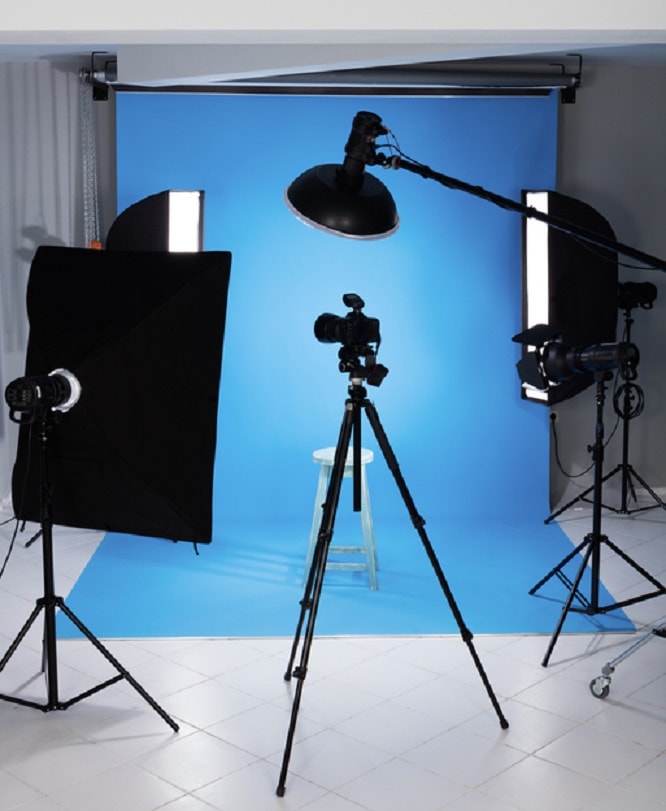
A lightbox — sometimes called a light tent — is simply a box with translucent walls that scatter incoming light from multiple angles. That scattered light wraps around your subject, killing harsh shadows and giving you that smooth, evenly lit look you see in catalog photography. The good news is you don't need an expensive commercial version. A cardboard box, some white tissue paper, and a couple of desk lamps are enough to get started.
This guide covers everything from the science behind why lightboxes work, to the exact materials you need, to pro shooting techniques that take your images from "good enough" to genuinely impressive. By the end, you'll know exactly how to build and use a lightbox that fits your budget and your shooting style.
Contents
Light behaves predictably. A bare bulb or direct flash produces hard light — tight, directional, and shadow-heavy. That's great for dramatic portraits, but terrible for product shots where you want to see every detail. A lightbox works by turning that hard point source into a broad, diffused source. When light passes through a translucent material like tissue paper, white fabric, or nylon, it scatters in every direction before hitting your subject.
The result is what photographers call wrap-around light — illumination that seems to come from everywhere at once. Shadows become soft and graduated rather than sharp-edged. Reflective surfaces like metal, glass, and shiny plastic no longer produce blinding hot spots. The subject looks three-dimensional without looking dramatic. That's exactly what product photography needs: clarity without distraction.
This principle has been understood since the early days of studio photography. According to Wikipedia's entry on softboxes, diffused light modifiers have been a studio staple for over a century. A DIY lightbox replicates the same physics with inexpensive materials — the diffusion is doing the heavy lifting, not the price tag.
Understanding this also explains why two lightboxes can look very different in practice. The size of the diffusion panels, the distance of the lights, and the color of the interior all affect the quality of light. A larger diffusion surface relative to your subject always produces softer results. Keep that principle in mind as you build and tweak your own setup.
You don't need a trip to a specialty store. Most of what you need is sitting in a hardware store, a craft shop, or even your recycling bin. Here's the basic shopping list for a beginner build: a medium-to-large cardboard box (aim for at least 18 inches on each side), white tissue paper or white ripstop nylon fabric, a craft knife or box cutter, white poster board or foam board for your backdrop sweep, tape or a glue gun, and at least two light sources.
For a more permanent build, you'll swap cardboard for white foam board or PVC piping with fabric panels. The upgrade is worth it if you shoot products regularly — foam board holds its shape, reflects light more cleanly, and doesn't sag when it gets warm from the lights.
Your light source choice matters more than almost any other variable. Here's a quick comparison of the most common options:
| Light Source | Color Temp (K) | Cost | Best For | Watch Out For |
|---|---|---|---|---|
| Daylight LED bulbs (5500K) | 5500 | $5–15 per bulb | Most product shots | Match both bulbs exactly |
| Natural window light | 5000–6500 | Free | Food, lifestyle products | Changes throughout the day |
| CFL daylight bulbs | 5000–6500 | $3–8 per bulb | Budget builds | Takes 30s to reach full brightness |
| Incandescent / tungsten | 2700–3200 | $1–3 per bulb | Warm-toned products | Strong orange cast; needs WB correction |
| LED panel lights | Adjustable | $30–80 | Advanced/permanent setups | Higher upfront cost |
Stick to daylight-balanced bulbs rated around 5500K whenever possible. They produce a neutral white light that makes color correction in post much simpler. Using two mismatched bulbs — say, one LED and one incandescent — creates a color gradient across your subject that's a nightmare to fix in editing.
Start with a cardboard box that's big enough to fit your largest subject with a few inches to spare on each side. Cut large rectangular windows into the left side, right side, and top of the box — leave a border of at least two inches around each window for structural strength. Tape white tissue paper over each opening. That's your diffusion. Cut your white poster board into a curved sweep that lines the back and bottom of the box interior without a crease — this eliminates the horizon line in your shots and gives you that clean floating-product look.

Position a desk lamp or clamp light on each side, shining through the tissue paper panels. Leave the front of the box open — that's where your camera goes. Your camera shoots straight into the box, and the subject sits in the center of the sweep. This entire build takes about 45 minutes and costs next to nothing if you already have desk lamps.
Pro tip: White tissue paper works well, but white ripstop nylon or even a piece of white bedsheet gives you more even diffusion and holds up far longer before tearing.
Once you know you'll be shooting regularly, it's worth building something more durable. Replace the cardboard with white foam board panels held together with binder clips or a simple PVC frame. Foam board reflects light internally rather than absorbing it, which means you get a brighter, more even result from the same light sources. You can also add a fourth panel on the bottom to reflect light upward from below, eliminating any residual shadow under your subject.
Collapsible commercial light tents follow this same principle, but you can replicate their performance for a fraction of the cost. If you ever decide to sell or upgrade your lighting gear, check out where to sell used camera equipment to recoup some of your investment.
White is the default, but it's not your only option. Colored poster board sweeps completely transform the mood of a product shot. Black sweeps give you a dramatic, high-contrast look great for jewelry and watches. Light grey splits the difference between clinical white and moody black. Textured paper or fabric sweeps add warmth for artisan or handmade products. Keep a small library of sweep colors on hand and swap them out based on the product and the intended platform.
The sweep needs to be truly seamless — no crease, fold, or visible junction between the vertical back and the horizontal base. If you see a crease line in your shots, either curve the sweep more gently or move the sweep farther from your subject so the crease falls outside the frame.
A lightbox controls the light, but your camera settings control the exposure. Shoot on a tripod at your camera's base ISO (usually ISO 100) to keep noise low. Use a small aperture like f/8 to f/11 for deep depth of field — you want the whole product sharp, not just part of it. Let your shutter speed be the variable that adjusts exposure. Remote shutter release or a 2-second timer eliminates camera shake from pressing the shutter button.
Set your white balance manually to match your light source rather than leaving it on Auto. Auto white balance can drift between shots, creating inconsistent color across a product catalog. Then run your images through a few quick edits in Lightroom to fine-tune exposure, lift shadows, and punch up contrast — it takes less time than you'd think.
Myth 1: You need expensive lights. You don't. Two $10 LED desk lamps with daylight bulbs produce excellent results inside a well-built lightbox. The diffusion panel does more work than the bulb price. Where you spend money matters — invest in quality diffusion material and a good backdrop sweep before you upgrade your lights.
Myth 2: Bigger is always better. A lightbox needs to be big enough for your subject with breathing room, but a massive box with weak lights just means dimmer, uneven illumination. Match the box size to what you're actually shooting. A 12-inch box is perfect for jewelry; a 24-inch box handles most small appliances and shoes.
Myth 3: Lightboxes only work for product photography. That's simply not true. A lightbox is fantastic for black and white photography of small objects, macro shots, food styling, and even pet portraits of small animals. The controlled environment is an asset any time you want consistent, repeatable lighting.
Warning: Don't assume your lightbox automatically corrects all color issues — if your lights aren't color-matched and you're not setting a custom white balance, you'll still end up with a color cast in your images.
Myth 4: A lightbox replaces all other lighting skills. A lightbox simplifies product lighting enormously, but it's not a magic solution. You still need to think about where you place the subject, how to handle reflective surfaces, and when to add a reflector card for fill. Understanding light — not just controlling it — is what separates good product shots from great ones.
A lightbox is your best friend when you need consistent, repeatable results across many similar subjects. E-commerce product catalogs, Etsy shop listings, food photography for menus, jewelry close-ups, collectibles, craft items — all of these benefit enormously from the controlled environment a lightbox provides. You can shoot 50 products in an afternoon and have them all match in terms of color and exposure.
It's also ideal when you're shooting subjects that have difficult surfaces. High-gloss packaging, shiny metal, polished stone, and glass are notoriously hard to photograph in ambient light. A lightbox wraps light around them so evenly that hot spots and reflections disappear. Studio pet photographers use similar diffused setups — read through these dog photography studio lighting tips to see how the same principles scale up to a full studio environment.
Skip the lightbox when your subject is too large to fit comfortably inside it, or when you intentionally want directional shadows for dramatic effect. Architectural details, furniture, lifestyle flat lays with large props, and any subject larger than about 18 inches will need a different approach — portable LED panels, natural window light with a diffusion panel, or a full studio strobe setup. A lightbox also isn't ideal for shooting outdoors or on location; it's a controlled studio tool, and it works best in a controlled environment.
The real payoff of learning how to make a lightbox for photography isn't just the first shoot — it's the repeatable, reliable results you get every single time you use it. Once you've dialed in your light positions, white balance, and camera settings, you can recreate the exact same look weeks or months later. That consistency is enormously valuable for product lines, client work, and building a recognizable visual brand.
Keep your setup organized. Store your backdrop sweeps flat or rolled (never folded) so they stay crease-free. Label your light positions so you can replicate them exactly. And develop a file naming system so your lightbox shots are easy to sort and find — a structured photography file naming system saves significant time when you're managing hundreds of product images.
As your skills grow, you'll start to see the lightbox as a foundation rather than an endpoint. You'll add reflector cards, experiment with colored gels on your lights, try different sweep materials, and push the technique further. Some photographers eventually graduate to a full studio strobe setup — and when that time comes, selling your used camera and lighting equipment is a practical way to fund the upgrade without starting from zero.
The core skill — controlling and diffusing light to serve your subject — stays with you forever. A lightbox just makes it tangible, affordable, and repeatable from day one.
Cut large windows into three sides (left, right, and top) of a sturdy cardboard box, then tape white tissue paper or white fabric over each opening to diffuse your light. Line the interior with a curved white poster board sweep for a seamless backdrop, and position a desk lamp on each side. Your camera shoots in through the open front. The whole build takes under an hour and costs less than $20 in materials.
Your lightbox should be at least one and a half times the size of your largest subject. For jewelry and small items, an 18-inch box works well. For shoes, bags, or small appliances, aim for 24 inches or larger. Giving your subject room to breathe inside the box ensures the diffused light can wrap around it evenly without the walls appearing in the shot.
White ripstop nylon is the gold standard for DIY lightbox diffusion — it's durable, washable, and gives an even scatter without introducing color casts. White tissue paper is the cheapest option and works perfectly fine. White bedsheets, frosted acrylic sheeting, and parchment paper are also solid alternatives. Avoid anything with a visible weave pattern, which can cause uneven light distribution.
Use daylight-balanced LED or CFL bulbs rated at 5500K for the most neutral, consistent results. Make sure both lights are the same brand, model, and color temperature — even a slight mismatch between bulbs creates an uneven color gradient across your subject. LED bulbs are preferable because they run cool, reach full brightness instantly, and last thousands of hours.
Absolutely. A lightbox produces the clean, shadow-free look that works great for menu items, packaged foods, and styled dishes that are small enough to fit inside. For larger food spreads or lifestyle-style food photography with props and context, you'll get better results from a large window with a diffusion panel or a portable LED panel positioned overhead.
No. A lightbox works with any camera, including a smartphone. The key is using a tripod (or propping your phone steady) so you can use a slow shutter speed without camera shake. Set your white balance manually to match your lights, shoot at the lowest available ISO, and use a small aperture for maximum sharpness across the subject.
Flat results usually mean your lights are too weak relative to the box size, or your diffusion panels are too thick and absorbing too much light. Try moving your lights closer to the diffusion panels, switching to brighter bulbs, or thinning out your diffusion material. A slight underexposure in-camera with a contrast boost in post also helps restore punch without blowing out highlights.
Yes, and a lightbox often produces exceptional black and white results because the soft, even light creates smooth gradients with gentle tonal transitions. Subjects with interesting texture — wood grain, fabric weave, engraved metal — look especially striking when the wrap-around light from a lightbox reveals that texture without heavy shadows. Experiment with converting your lightbox product shots to black and white for a completely different aesthetic.
Building a lightbox is one of the highest-return investments you can make as a photographer — a few dollars and an afternoon of your time buys you repeatable, professional-quality lighting for every small-subject shoot from here on out. Grab a cardboard box, pick up some daylight LED bulbs, and build your first version this weekend. Once you see the difference it makes, you'll wonder how you ever shot without one.


About Editorial Team
The DigiLabsPro editorial team covers cameras, lenses, photography gear, and creative technology with a focus on helping photographers make informed buying decisions. Our reviews and guides draw on hands-on testing and research across a wide range of equipment, from entry-level beginner kits to professional-grade systems.
You can get FREE Gifts. Or latest Free phones here.
Disable Ad block to reveal all the info. Once done, hit a button below
