The best 4K video camera features aren't about the biggest number on the spec sheet — they're the handful of technical decisions that separate footage worth watching from footage you'll never use. If you're shopping for a 4K camera and wondering which specs matter versus which are marketing noise, this guide cuts through the confusion and tells you exactly what to prioritize. For more camera and photography guidance, browse our full photography articles.

4K resolution — approximately 3840×2160 pixels — delivers four times the pixel density of standard 1080p. According to Wikipedia's overview of 4K resolution, the format has become the standard for professional and consumer video production alike. That density translates to sharper footage, more room to crop and reframe in post, and content that holds up on large displays and future screens.
But resolution alone doesn't make a camera worth buying. The sensor, autofocus system, stabilization, and recording codec all determine whether your 4K footage looks like a professional production or an over-sharpened mess. This guide walks you through each of those decisions so you can buy with confidence and shoot without regrets.
Contents
Your skill level and shooting context should dictate which 4K camera you buy — not the other way around. Buying a cinema-grade body when you're just starting out wastes money and creates a steep learning curve that kills creative momentum.
If you're new to video, you need a camera that stays out of your way and lets you focus on learning the fundamentals of composition and storytelling. The features that matter most at this stage:
Cameras like the Sony ZV-E10 Mark II or Canon EOS R50 check these boxes without overwhelming you. They deliver practical 4K video camera features at a price point that doesn't punish experimentation.
For professionals, priorities shift toward control, latitude, and redundancy. A missed shot or corrupted card on a paid shoot isn't a learning opportunity — it's a liability. Features that define a professional-grade 4K body:
The gap between beginner and pro isn't just image quality. It's about workflow reliability, creative control, and how much room you have to fix problems in post before a client deadline.
Dozens of specs compete for your attention on any camera listing. Most are noise. The features below measurably change what your footage looks like and how it behaves in editing.
Sensor size determines how much light the camera captures, which directly affects low-light performance, depth-of-field control, and dynamic range. Full-frame sensors handle shadow and highlight detail better than cropped sensors under challenging lighting conditions — especially in mixed or artificial light.
Dynamic range, measured in stops, determines how much tonal information you capture between pure white and pure black. A camera with 12 or more stops of dynamic range gives you the latitude to recover blown highlights and lifted shadows in post. For outdoor or mixed-lighting shoots, this matters more than raw resolution numbers.
Phase-detect autofocus with subject recognition is no longer a luxury — it's a baseline expectation for any serious 4K video camera. Eye-detection AF keeps subjects tack-sharp during interviews, run-and-gun documentary work, and solo shooting where you can't rely on a dedicated focus puller.
Stabilization is equally critical. Understanding how camera stabilizers work helps you decide whether you need IBIS, a gimbal, or both. IBIS handles micro-movements and casual handheld walking shots. A gimbal handles sustained movement over longer distances. Professional setups routinely use both in tandem for maximum smoothness.
If your camera lacks IBIS, budget at least $200–$400 for a quality 3-axis gimbal — shaky 4K footage is harder to watch than stable 1080p every time.
The codec determines how the camera compresses and stores your video data. Here's what each choice means in practice:
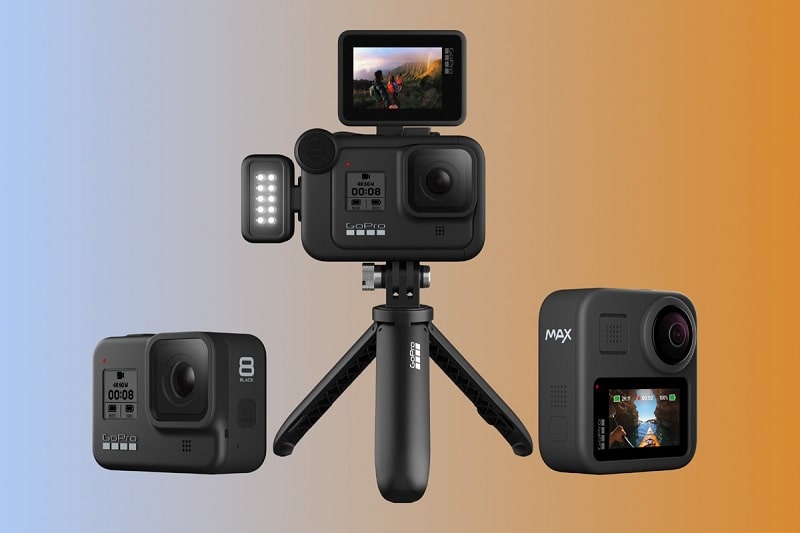
The 4K camera market is flooded with misconceptions that send buyers in the wrong direction. These are the most persistent ones — and exactly why they're wrong.
Still photography megapixels and video quality are largely unrelated. A 45-megapixel sensor does not automatically produce better 4K video than a 12-megapixel sensor. Video quality depends on sensor design, pixel size, readout speed, and the processing pipeline — not the raw count.
The Sony A7S III uses a 12.1-megapixel sensor and produces some of the cleanest 4K footage on the market. A high-megapixel mirrorless camera with poor video processing will generate noisier, less usable 4K than a purpose-built video camera with fewer pixels but a superior readout architecture. Stop letting megapixel counts drive your video camera buying decisions.
This was a reasonable argument several years ago. It no longer holds. Shooting 4K and delivering in 1080p provides concrete advantages that have nothing to do with your audience's screen resolution:
If you already own a 4K-capable camera, shooting at 4K costs you nothing except storage. The post-production flexibility alone makes it the right default choice.
Event work demands reliability above everything else. You don't get a second take on a first dance or a vow exchange. The best 4K video camera features for events center on autofocus accuracy, low-light performance, and recording redundancy. Events routinely happen in dim venues with mixed and unpredictable lighting — a camera that struggles at ISO 6400 is a liability.
Slow-motion capability matters here too. 4K at 60fps lets you create smooth slow-motion sequences at 24fps delivery without dropping below HD resolution. That's a tangible creative tool on a paid shoot, not a checkbox you ignore.
For narrative filmmakers and YouTube creators, control over the image is everything. Log shooting modes, manual exposure controls, and strong codec options matter more than convenience features at this level. A well-exposed shot in S-Log or C-Log with a capable 4K sensor gives you raw material that holds up through aggressive color grading and delivery to any platform.
Content creators specifically benefit from fully articulating touchscreens for solo shooting, built-in variable ND filters found on cameras like the Sony FX3 and ZV-E1, and clean HDMI output for external recording when the internal codec isn't sufficient for a particular workflow.
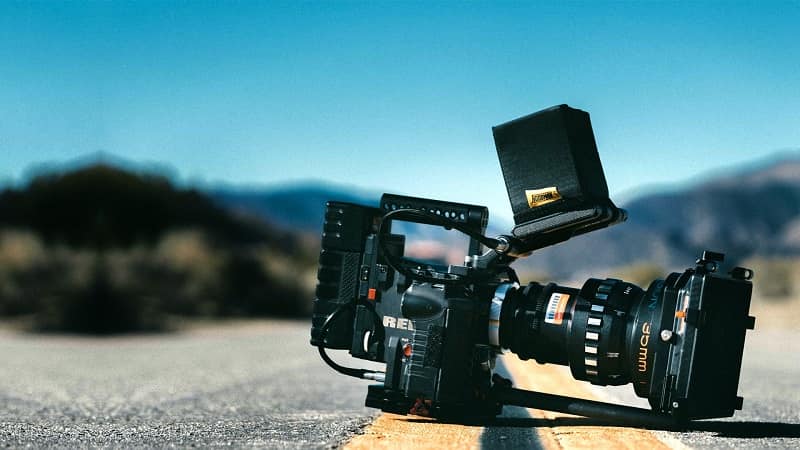
The price of a 4K video camera does not end at the body. Lenses, storage, stabilization, and audio gear all factor into your real-world cost. Here is an honest breakdown across four tiers — from entry-level to full cinema rig.
At this range, you get competent 4K with real limitations. Most cameras here use cropped sensors, offer 8-bit recording, and lack dual card slots. They are excellent learning tools and produce usable footage for YouTube and social video — but they struggle with color grading latitude and low-light performance when pushed.
This is where the best 4K video camera features start appearing in meaningful combinations: 10-bit recording, reliable phase-detect autofocus, IBIS, and log profiles. Cameras like the Sony A6700, Fujifilm X-S20, and Panasonic GH6 live in this range. For most working videographers and serious creators, this tier represents the best value per dollar.
Full-frame sensors, oversampled 4K, RAW output options, and cinema-grade codecs define this tier. The Sony FX3, Canon EOS R5, and Blackmagic Pocket 6K Pro belong here. Add quality glass, an external recorder, and a professional audio rig, and your total kit cost climbs to $8,000–$15,000 or beyond.
| Budget Tier | Price Range | Key Features | Best For |
|---|---|---|---|
| Entry-Level | $400–$900 | 4K 30fps, 8-bit, basic AF, IBIS or EIS | Beginners, YouTube, social content |
| Mid-Range | $900–$2,500 | 4K 60fps, 10-bit, eye-detect AF, IBIS, log profiles | Working videographers, content creators |
| Professional | $2,500–$6,000 | Oversampled 4K, 12-bit RAW option, cinema codecs, dual card slots | Commercial work, narrative filmmaking |
| Full Cinema Rig | $8,000–$20,000+ | Full-sensor readout, external RAW, interchangeable mounts, broadcast specs | Broadcast, feature film, high-end commercial |
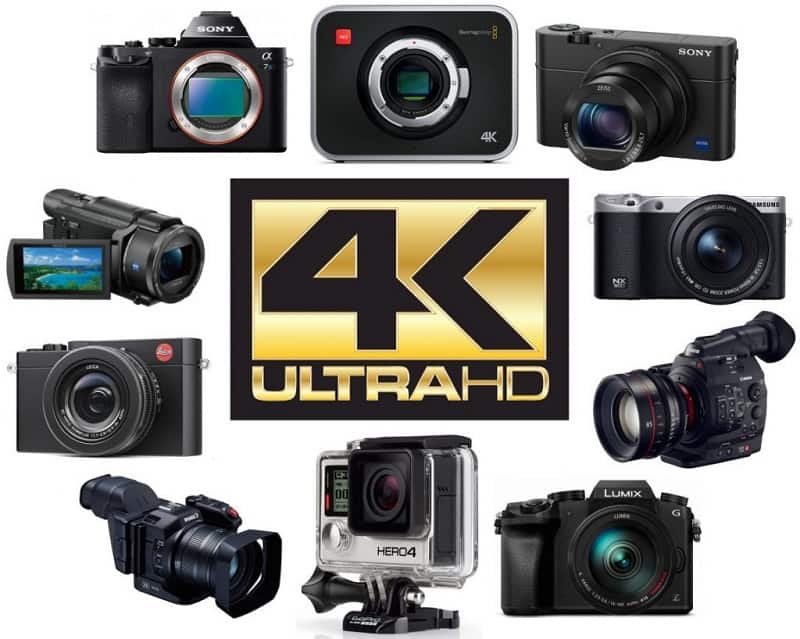
No camera is without trade-offs. Knowing the limitations protects you from frustrated expectations after purchase:
Even a high-end camera produces poor footage when the operator makes avoidable decisions. These are the errors that show up most often in shooters transitioning from 1080p to 4K workflows.
4K at 200Mbps fills a 256GB card faster than most new shooters expect. Going into a full-day event on a single card without a backup plan is a genuine risk. More critically, using a compressed H.264 codec at a low bitrate eliminates much of the quality advantage 4K offers in the first place — you end up with a large file that looks no better than well-shot 1080p.
Use a UHS-II SD card or CFexpress card rated for your camera's sustained write speed. Don't assume any card from a reputable brand handles sustained 4K recording reliably. Check your camera manufacturer's recommended storage specifications before buying cards for professional work.
Other codec mistakes include shooting 4K in auto exposure — which forfeits the flat profile advantage that makes log footage gradable — and skipping the 180-degree shutter rule, which creates unnatural motion cadence that immediately signals amateur production.
4K video with poor audio looks worse than 1080p video with excellent audio. Viewers tolerate imperfect visuals far longer than they tolerate muffled, distorted, or echoey sound. Built-in microphones on video cameras — even expensive bodies — are inadequate for professional applications in anything but the most controlled, quiet environments.
At minimum, add a directional shotgun microphone mounted on the hot shoe. For interviews and narrative work, use a wireless lavalier system for consistent, on-axis capture regardless of camera distance. Audio quality is often the single biggest differentiator between footage that reads as professional and footage that reads as amateur, regardless of the camera body used to shoot it.
A final mistake worth flagging: ignoring neutral density filters in bright conditions. Without ND filtration, maintaining the correct shutter speed for natural motion blur forces you into closed apertures and flat depth of field. This is a basic optical control that transforms the look of outdoor 4K footage, and many shooters skip it entirely until they understand why their outdoor video looks different from their indoor work.
Sensor quality and dynamic range top the list. A large sensor with strong dynamic range gives you flexibility in challenging light and in post-production color grading that no codec setting can replicate. After that, autofocus reliability and in-body stabilization are the features that most directly change your day-to-day shooting experience.
Yes. Shooting 4K gives you a 2x crop safety net in post, cleaner downsampled 1080p output, and footage that remains distribution-ready as platform standards continue rising. The editing overhead is higher, but the creative headroom justifies the workflow investment for any serious creator.
4K 30fps is the standard for most content and produces a natural, real-time feel suitable for events, interviews, and YouTube. 4K 60fps captures more frames per second, allowing smooth slow-motion playback at 24fps delivery without resolution loss. Choose 60fps when you know slow-motion sequences are part of your edit.
If you plan to color grade your footage seriously, yes. 10-bit recording captures exponentially more color information than 8-bit, giving you the latitude to push highlights, lift shadows, and apply LUTs without banding or color breakup appearing in the image. For simple content where you shoot in a picture profile and deliver without grading, 8-bit is often sufficient.
For cinematic content, 24fps is the industry standard — it gives footage a filmic motion cadence. For content that needs to feel natural and immediate, like events or YouTube vlogs, 30fps works well. Use 60fps specifically when you want slow-motion flexibility in your edit. Avoid 120fps in 4K unless your camera supports it without introducing a significant sensor crop or quality reduction.
Plan for roughly 45–50GB per hour at a 100Mbps bitrate. At 200Mbps — a common professional recording setting — you need approximately 90GB per hour of footage. A full shoot day can easily exceed 500GB of raw data. Carry multiple high-speed cards and always have a portable drive for offloading footage on location before a card fills completely.
Rolling shutter is a CMOS sensor artifact where fast-moving subjects or quick camera pans appear skewed or distorted — commonly called the jello effect. It affects many 4K cameras to varying degrees based on sensor readout speed. Cameras with global shutters or very fast sensor readout architectures minimize this problem significantly. Check real-world rolling shutter test footage before purchasing any mirrorless camera for fast-action or run-and-gun video work.
Not all computers handle 4K editing equally. You need a multi-core CPU with at least eight cores for comfortable real-time playback, a dedicated GPU with hardware acceleration for your editing application, and fast NVMe solid-state storage. Proxy workflows — creating lower-resolution copies for editing while preserving the 4K source for final export — allow older machines to cut 4K footage without constant dropped frames and sluggish playback.
Knowing which best 4K video camera features actually move the needle is the difference between buying a capable tool and buying a marketing number. Start by matching your budget and experience level to the right tier, prioritize sensor quality, autofocus, and codec choices over raw resolution figures, and invest in storage and audio before you think about upgrading the body. Head to our photography articles for more in-depth gear guides and shooting techniques that sharpen every aspect of your video and photo work — pick a guide and put one new thing into practice on your next shoot.


About Editorial Team
The DigiLabsPro editorial team covers cameras, lenses, photography gear, and creative technology with a focus on helping photographers make informed buying decisions. Our reviews and guides draw on hands-on testing and research across a wide range of equipment, from entry-level beginner kits to professional-grade systems.
You can get FREE Gifts. Or latest Free phones here.
Disable Ad block to reveal all the info. Once done, hit a button below
